Best Receipt Scanning Apps/Software for Freelance Bookkeepers (2026)
Freelance bookkeepers have a different problem than a single small business owner scanning their own receipts. You're juggling several clients at once, each with their own chart of accounts, their own accounting software, and their own pile of messy PDFs, forwarded emails, and phone-camera photos. The receipt tool that works for one client's Wave account might be the wrong fit for another client running QuickBooks or a custom spreadsheet workflow.
Here's how the leading options stack up for 2026, plus where a more flexible, API-driven option like DoxTract fits in when off-the-shelf tools can't keep up with client-specific formats.
1. Dext
Dext (formerly Receipt Bank) is built specifically for accounting firms and bookkeepers managing multiple clients, and it's consistently rated as a top pick for that exact use case. It pulls receipts and invoices from mobile scans, email forwarding, direct upload, and bank feeds, then extracts line-item detail and pushes clean data into QuickBooks, Xero, or Sage.
Best for: Bookkeepers managing several clients who need high accuracy with minimal manual correction
Pricing: Free trial; paid plans scale with client and document volume
Watch out for: Cost climbs quickly as you add more clients and documents
2. QuickBooks Receipt Capture
If most of your clients are already on QuickBooks, the built-in receipt scanner keeps everything in one ecosystem — snap or upload a receipt and it matches to the transaction and categorizes the expense automatically.
Best for: Bookkeepers whose clients are already QuickBooks-native
Pricing: Tiered by user count, from roughly $38/month for one user up to around $275/month for larger teams
Watch out for: Less useful for clients on other accounting platforms — you'd be running a second tool alongside it
3. Wave
Wave pairs an inexpensive receipts add-on with its free accounting software, making it one of the more budget-friendly options for very small or early-stage freelance clients.
Best for: Solo freelancers or micro-clients with light receipt volume
Pricing: Receipts add-on around $8/month, or bundled into the ~$19/month Pro plan
Watch out for: Lighter feature set than dedicated bookkeeping-capture tools like Dext
4. Zoho Expense
Zoho Expense is a strong all-rounder — mobile capture, approval workflows, and autoscan OCR that handles 12+ languages, which matters if any client has international vendors.
Best for: Clients who need approval chains and reimbursement tracking alongside receipt capture
Pricing: Free tier available; paid plans are competitively priced for small teams
Watch out for: More built for internal expense management than pure bookkeeping data capture
5. Shoeboxed
Shoeboxed stands out for its Magic Envelope service — clients mail in physical receipts and Shoeboxed scans, categorizes, and digitizes them into audit-ready records. Useful for clients who still hand you a shoebox (literally) at tax time.
Best for: Clients with a backlog of paper receipts and little interest in scanning them themselves
Pricing: Starts around $8/month, with Pro and Plus tiers at $25 and $66/month
Watch out for: Turnaround isn't instant since physical mail is involved
6. Hubdoc
Hubdoc is free when bundled with a Xero subscription, which makes it an easy default for Xero-based clients. It captures header-level data well but doesn't go as deep on line items as dedicated capture tools.
Best for: Xero clients who just need basic document capture at no extra cost
Pricing: Free with Xero
Watch out for: Header-level only — you'll likely outgrow it for detailed line-item work
7. Veryfi
Veryfi is built around fast, AI-powered OCR with real-time extraction and multi-language support, aimed more at developers and businesses that want to build extraction into their own systems rather than use a pre-packaged bookkeeping app.
Best for: Bookkeepers comfortable working with an API, or agencies building their own client-facing tools
Pricing: Free tier for light use; premium plans required for higher volume and storage
Watch out for: Less of a turnkey bookkeeping app, more of a building block
8. DoxTract
DoxTract takes a different approach than most tools on this list: instead of a fixed set of fields it expects every receipt to match, you draw a visual template for each client's document format — no ML expertise required — and it extracts exactly the fields and line items you define, returned as structured JSON or CSV.
For a freelance bookkeeper, that matters because your clients don't all use the same receipt or invoice layout. A template you build once for a client's recurring vendor works reliably on every future receipt from that vendor, and you can build a separate one for each client without paying for a full expense-management platform per client.
Best for: Bookkeepers who want per-client customization and either a simple dashboard workflow or API automation, at a lower per-page cost than the big cloud OCR providers
Pricing: Pay-as-you-go from $0.0006–$0.007 per page, with a free tier covering 200 pages/month and 20 lifetime templates — no subscription required to start
Watch out for: You're building your own templates rather than getting prebuilt "invoice" or "receipt" parsers out of the box — a small upfront investment that pays off on repeat document formats
Try it without creating an account: Template Editor. Full pricing breakdown here: Pricing.
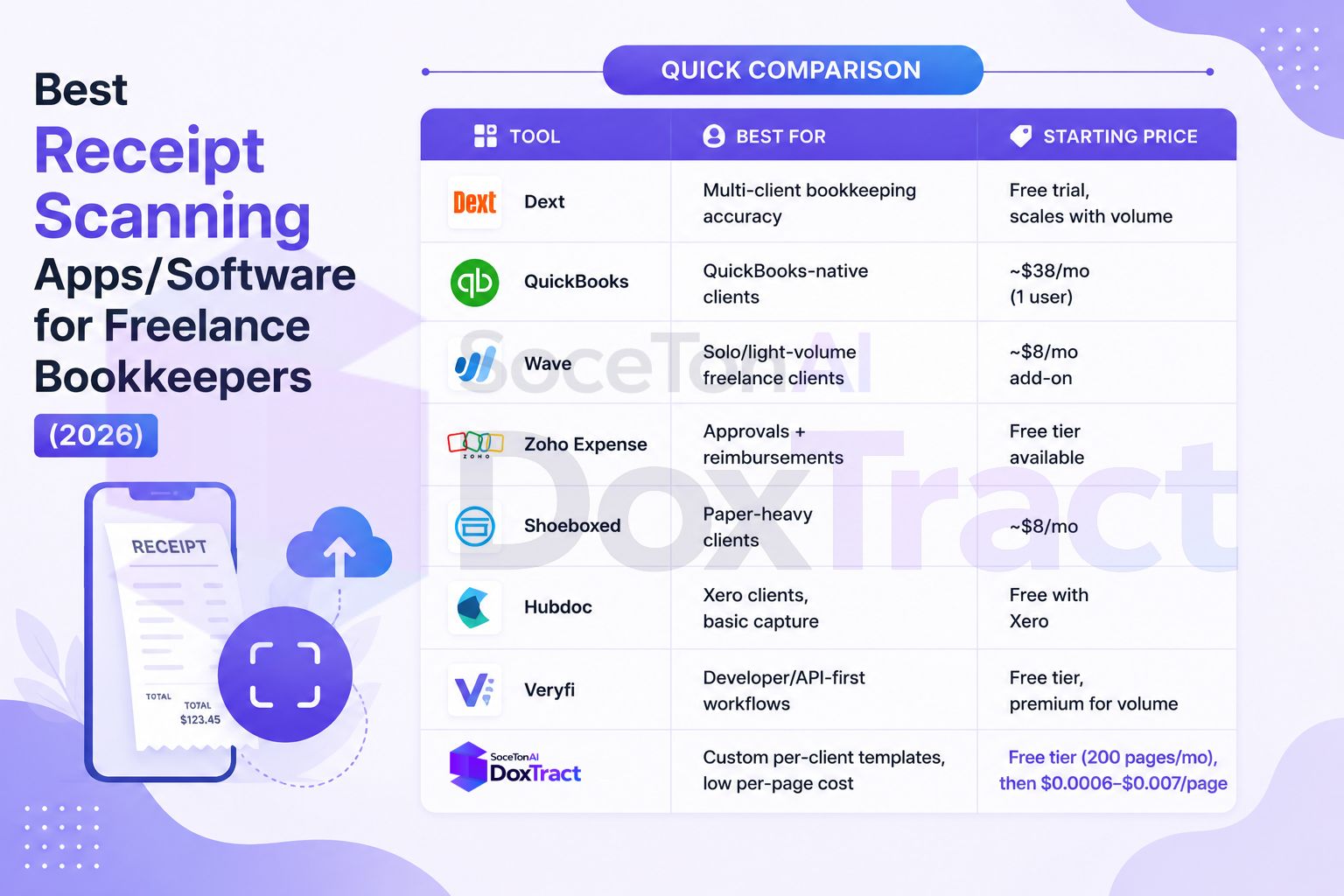
Quick Comparison
| Tool | Best For | Starting Price |
|---|---|---|
| Dext | QuickBooks-native clients | ~$38/mo (1 user) |
| Wave | Solo/light-volume freelance clients | ~$8/mo add-on |
| Zoho Expense | Approvals + reimbursements | Free tier available |
| Shoeboxed | Paper-heavy clients | ~$8/mo |
| Hubdoc | Xero clients, basic capture | Free with Xero |
| Veryfi | Developer/API-first workflows | Free tier, premium for volume |
| DoxTract | Custom per-client templates, low per-page cost | Free tier (200 pages/mo), then $0.0006–$0.007/page |
Which One Should You Actually Use?
If you manage a handful of clients all on the same accounting platform, the native tool (QuickBooks or Hubdoc-with-Xero) is the path of least resistance. If you manage many clients across different platforms and non-standard document formats — vendor invoices that don't look like a typical receipt, or forms your clients' industries throw at you — a template-based, pay-per-page tool like DoxTract avoids paying for a full expense-management subscription per client while still giving you exact control over what gets extracted.
Many freelance bookkeepers end up running two tools side by side: a mainstream app like Dext or Wave for standard client bookkeeping, and something like DoxTract for the odd client whose documents don't fit the standard mold. Since DoxTract's free tier covers 200 pages a month, it's easy to test on exactly that kind of edge case before deciding whether to expand its use.