Digitizing Maintenance Receipts: A Guide for Small Landlords
If you own one or a few rental properties and handle maintenance yourself — calling a plumber when something breaks, keeping the receipt in a drawer or a phone photo — you've probably felt the January scramble: pulling together a year's worth of repair receipts to figure out your actual rental expenses, and hoping you didn't lose anything important along the way.
This doesn't need a property-management platform or an accountant on retainer to fix. Here's a simple system sized for a landlord with a handful of properties, not a portfolio.
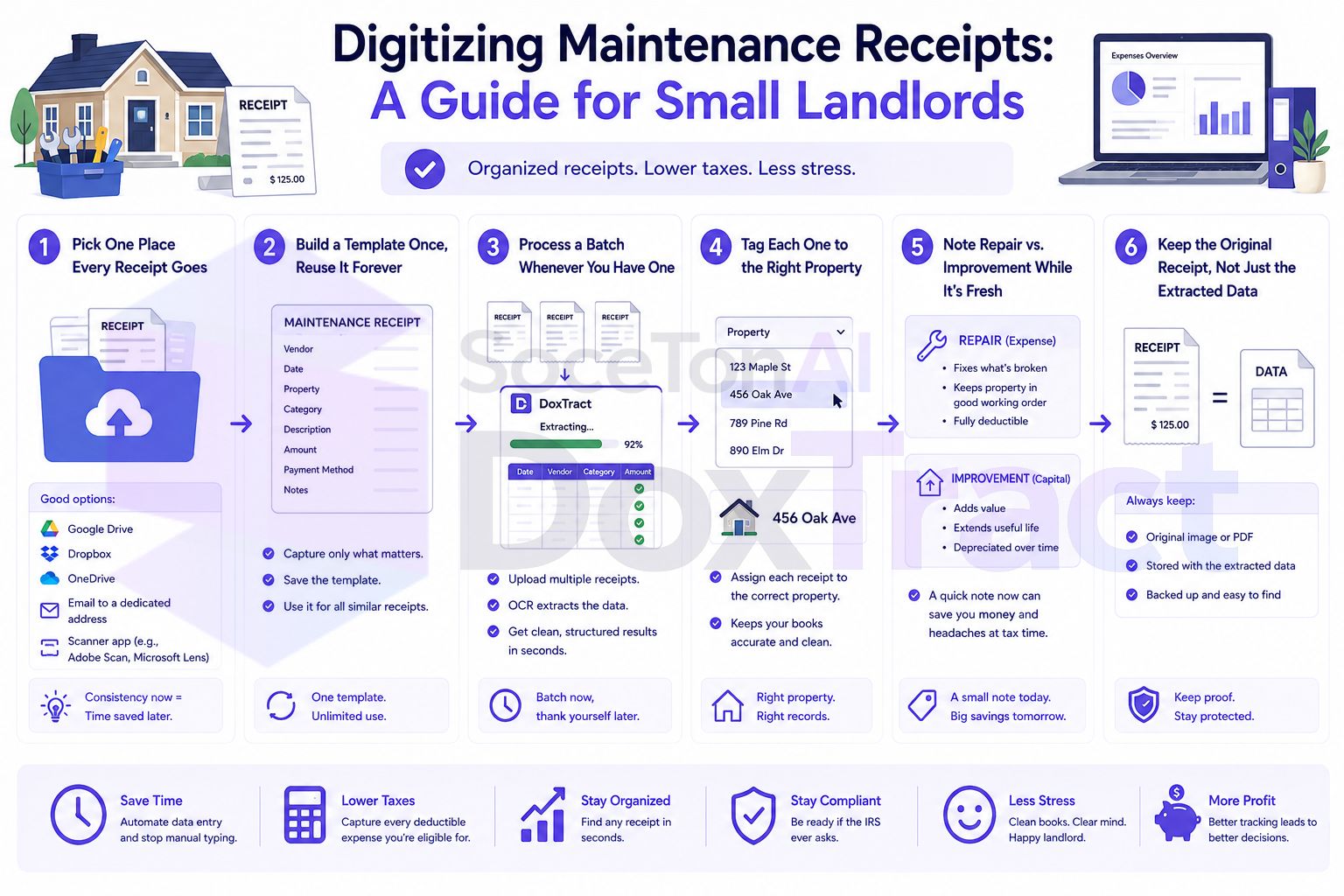
Why This Matters More Than It Feels Like Day to Day
Rental expenses are real tax deductions, but only with documentation. Every maintenance receipt is potential support for a deduction on Schedule E — but "I remember paying for that" isn't documentation an audit accepts. A receipt you can actually produce is the difference between a deduction that holds up and one that doesn't.
Repairs and improvements are treated differently. A repair (fixing a leaking faucet) is generally deductible in the year you paid for it. An improvement (replacing the whole plumbing system) generally has to be capitalized and depreciated over time instead of deducted all at once. Getting this distinction right depends on knowing exactly what was done and when — which is much easier with an organized, searchable set of receipts than a memory of "sometime last spring." This is genuinely worth a conversation with a tax professional if you're unsure where a specific expense falls — the guide below is about keeping the records that make that conversation possible, not a substitute for the advice itself.
Multiple properties multiply the mess. Even two or three properties means every receipt needs to be attributed to the right one, and a system that works for a single rental often breaks down as soon as a second property enters the picture.
Step 1: Pick One Place Every Receipt Goes
Before anything else, fix where receipts land the moment you get them — not "eventually," at the moment. A dedicated email address you forward receipts to, or a single phone folder you photograph directly into, works better than "I'll deal with it later," since "later" is exactly when receipts get lost.
Step 2: Build a Template Once, Reuse It Forever
Rather than reading every receipt and typing what it says, a template reads them for you after you set it up once. In the Template Editor — free to try, no signup required — upload a sample receipt or contractor invoice and:
Draw a Fixed Header Box around anything that stays the same across receipts of that type — a vendor's name, "Total," "Date."
Draw a Value Box around the actual data next to it, and connect the two.
Save it.
You likely only need one or two templates total — one for typical maintenance receipts, maybe another for larger contractor invoices with more detail. This isn't a per-property setup; it's a per-document-format one.
Step 3: Process a Batch Whenever You Have One
There's no need to do this per-receipt as they arrive. Once a month (or whenever you think of it), upload everything you've collected to the Doxtract App, select your template, and click Extract Data. A single receipt returns results immediately; a batch hands you back a CSV — vendor, date, amount, one row per receipt.
Step 4: Tag Each One to the Right Property
If you have more than one property, this is the one manual step left: assigning each extracted receipt to the property it belongs to. With structured data instead of a stack of photos, this is a quick column-fill in a spreadsheet rather than reading each receipt again to remember which house it was for.
Step 5: Note Repair vs. Improvement While It's Fresh
While you're tagging property, it's worth also noting whether each expense was a repair or something larger — while you still remember the context, rather than trying to reconstruct it at tax time. You don't need to make the final tax determination yourself; noting it accurately now just means you (or your tax preparer) have what's needed to make that call correctly later.
Step 6: Keep the Original Receipt, Not Just the Extracted Data
The spreadsheet row is for your own tracking — the actual receipt image is still the real record if the IRS ever asks. Keep receipts organized by year and property, and don't delete the originals once they're extracted; the extracted data and the source image should live side by side, not replace one another.
/Properties
  /123-Main-St
    /2026
      plumbing-receipt-03-14.pdf
      hvac-invoice-06-02.pdf
  /456-Oak-Ave
    /2026
      ...
A Simple Yearly Routine
Collect receipts into your one dedicated inbox/folder throughout the year — no separate effort beyond forwarding or photographing them as they come in.
Once a month, batch-extract whatever's accumulated.
Tag each to a property and note repair vs. improvement while the details are fresh.
At tax time, you're reviewing an organized spreadsheet and a folder of properly filed receipts — not reconstructing a year from memory.
Getting Started
You don't need every past year's receipts digitized before this is useful — start with this year going forward. Build one template for your most common maintenance receipt type in the Template Editor, no signup required, and run your next batch through it instead of leaving it in a drawer. Check Pricing — the free tier covers 200 pages a month, which is likely more than enough for a small landlord's annual receipt volume.