Extracting Document Data with the DoxTract API
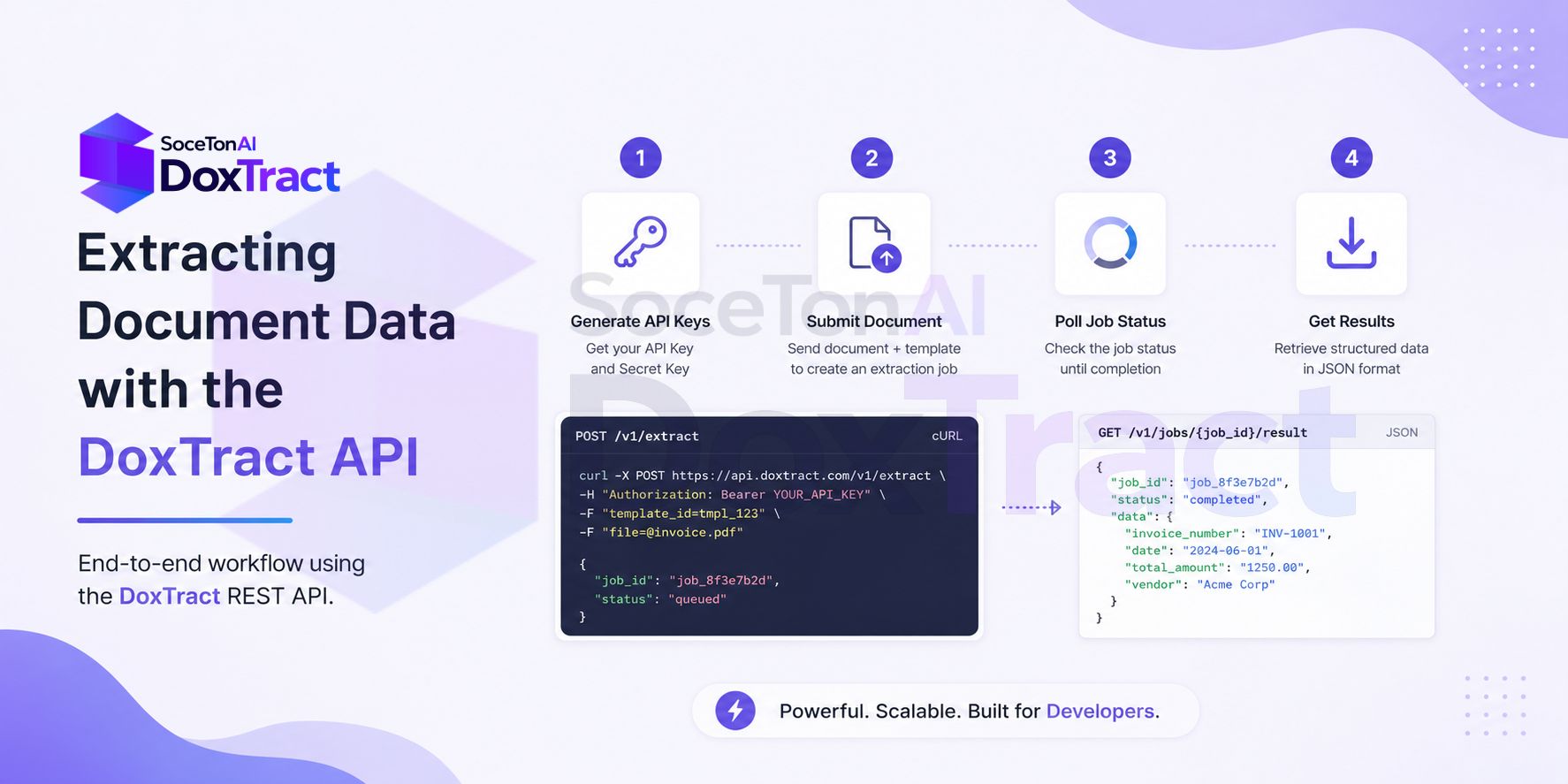
This tutorial covers the DoxTract workflow entirely through the REST API — generating credentials, submitting documents for extraction, polling job status, and pulling down structured results. No dashboard clicking required beyond the one-time steps of generating keys and building a template.
Note: Templates themselves are still built visually — the Template Editor is the only way to define fields, and it works without signup if you want to try it first. Once a template exists, everything below can be automated.
Prerequisites
A DoxTract account with at least one saved template
Your
template_id(grab it from the Doxtract page, or list your templates via the API — see Step 3)curlor any HTTP client
Step 1: Generate API Credentials
From your dashboard, click Generate New Key, name it, and click Create. Copy the API Key and API Secret immediately — they're shown once.
Every request below needs both, sent as headers:
x-api-key: YOUR_API_KEY
x-api-secret: YOUR_API_SECRET
Treat these like any other production credential — don't hardcode them in client-side code or commit them to a repo.
Step 2: Submit a Document for Extraction
curl -X POST "https://api.soceton.com/doxtract/api/read" \
  -H "x-api-key: YOUR_API_KEY" \
  -H "x-api-secret: YOUR_API_SECRET" \
  -F "files=@invoice.pdf" \
-F 'data={"template_id":"123"}'{
"success": true,
"job_id": "string",
"result": {}
}Single file:
resultis populated immediately — no polling needed.Multiple files: the response returns a
job_idfor an async job;resultwill be empty until you poll it (Step 3).
To send several files in one batch, repeat the files field:
curl -X POST "https://api.soceton.com/doxtract/api/read" \
  -H "x-api-key: YOUR_API_KEY" \
  -H "x-api-secret: YOUR_API_SECRET" \
  -F "files=@invoice1.pdf" \
  -F "files=@invoice2.pdf" \
  -F "files=@invoice3.pdf" \
-F 'data={"template_id":"123"}'Step 3: Poll Job Status (Batch Jobs Only)
curl -X GET "https://api.soceton.com/doxtract/api/jobs/JOB_ID" \
  -H "x-api-key: YOUR_API_KEY" \
-H "x-api-secret: YOUR_API_SECRET"{
"processed_pages": 4,
"total_pages": 10,
"status": "processing"
}Poll on an interval (a few seconds is reasonable) until status reports completion. A minimal polling loop:
import time
import requests

headers = {
    "x-api-key": "YOUR_API_KEY",
    "x-api-secret": "YOUR_API_SECRET",
}

job_id = "JOB_ID"
url = f"https://api.soceton.com/doxtract/api/jobs/{job_id}"

while True:
    resp = requests.get(url, headers=headers).json()
    if resp["status"] == "completed":
        break
    print(f"{resp['processed_pages']}/{resp['total_pages']} pages processed")
    time.sleep(5)
Step 4: Download the Results
Once the job is complete, request a download link. It's signed and expires after 5 minutes, so fetch the file right away.
curl -X GET "https://api.soceton.com/doxtract/api/download/JOB_ID" \
  -H "x-api-key: YOUR_API_KEY" \
-H "x-api-secret: YOUR_API_SECRET"{
"url": "https://..."
}Then download the actual CSV:
curl -o results.csv "SIGNED_URL_FROM_ABOVE"Step 5: List Your Templates Programmatically
If you're managing multiple templates and don't want to hardcode IDs, list them via the API:
curl -X GET "https://api.soceton.com/doxtract/api/templates?skip=0&limit=10" \
  -H "x-api-key: YOUR_API_KEY" \
-H "x-api-secret: YOUR_API_SECRET"{
"total": 42,
"skip": 0,
"limit": 10,
"data": []
}Use skip and limit to paginate if you have more than a handful.
Putting It Together
A typical automated pipeline looks like this:
New document lands in a watched folder, inbox, or storage bucket.
Your script
POSTs it to/doxtract/api/readwith the righttemplate_id.For batches, poll
/doxtract/api/jobs/{job_id}until complete.Fetch the signed URL from
/doxtract/api/download/{job_id}and pull the CSV (or readresultdirectly for single-file calls).Load the structured data into your database, accounting system, or spreadsheet.
That's the entire extraction workflow without opening the dashboard once you're past the initial key generation and template setup. If a template needs changes later, that part still goes through the Template Editor — but everyday extraction runs entirely on these four endpoints.