Freelance Bookkeeper Tech Stack: Tools We Recommend
A solo bookkeeping practice runs on more than just accounting software. Between client communication, scheduling, document collection, security, and the accounting platform itself, most bookkeepers end up stitching together five or six tools — and the difference between a smooth practice and a chaotic one is usually less about which specific brand you pick and more about whether every one of these categories is actually covered by something.
Here's a category-by-category breakdown of what we'd recommend, and why.
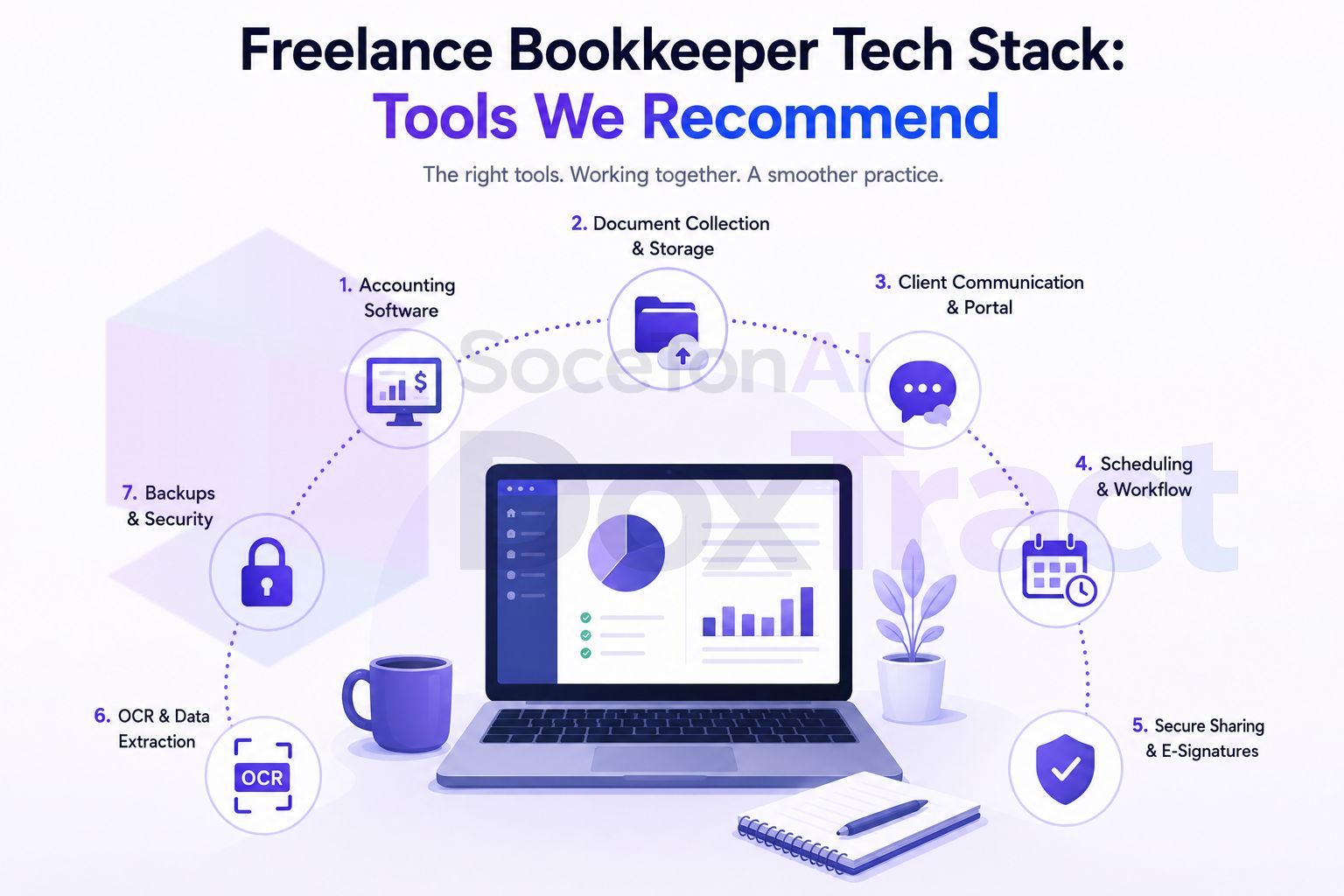
1. Core Accounting Software
This is the one every client interacts with directly, so it's worth being deliberate rather than defaulting to whatever a client already has.
QuickBooks Online — the most widely adopted small-business platform in the US; QuickBooks Online Accountant gives you a free, single dashboard to manage every client's file.
Xero — a strong alternative, especially popular outside the US, with real-time practice-level views across clients.
Wave — free, and a reasonable fit for very light-volume or early-stage clients who don't need the depth of QBO or Xero.
Our take: standardize on one or two of these rather than accommodating every client's software preference — the context-switching cost of supporting three-plus platforms adds up fast.
. Practice Management
The layer that tracks what's actually done, across every client, without relying on memory. This is the category most solo bookkeepers add last and wish they'd added first.
Financial Cents / Keeper — built specifically for bookkeeping firms, with workflow templates and recurring task tracking sized for solo and small practices.
QuickBooks Online Accountant — free, and enough for lighter workflow-tracking needs if you're not ready for a dedicated tool.
All-in-one platforms — tools that bundle CRM, proposals with e-signature, invoicing, scheduling, and a client portal into one subscription are worth a look if you're currently paying for four or five separate tools; consolidating can meaningfully cut both cost and login fatigue.
Our take: if "did I already do this client's task this month" is a question you answer by opening their file rather than glancing at a dashboard, this category is overdue.
3. Client Communication and Document Collection
Where most disorganized practices actually break down — not in the accounting, but in the back-and-forth of getting documents and answers out of clients.
A dedicated client portal or shared drive per client, rather than routing everything through a personal inbox.
A secure document-sharing tool (SmartVault, ShareFile, or similar) if you're handling sensitive financial documents across many clients and want stronger access controls than a generic shared folder.
Our take: the specific tool matters less than having one consistent channel per client, decided at onboarding rather than renegotiated every time something goes missing.
4. Document Data Extraction
This is the category that removes the actual data-entry hours — reading receipts and invoices and typing what they say — rather than just organizing the documents better. Most all-in-one practice platforms don't touch this layer at all, and generic receipt scanners often only extract a fixed field set that breaks on nonstandard invoice layouts.
We use and recommend DoxTract here specifically because it doesn't assume every document looks the same: you build a visual template per client or vendor in the Template Editor (no signup needed to try it), and it extracts exactly the fields you define — including line items — instead of forcing every receipt into a generic template. It's usable entirely from the DoxTract App with no code, or through the API if you want it wired directly into a pipeline. Pricing is pay-per-page rather than a flat subscription, which fits a caseload where document volume varies wildly client to client.
Other tools in this space worth knowing: Dext and Hubdoc are the most established options and integrate tightly with QuickBooks and Xero, though they're built around a more fixed idea of what a receipt or invoice looks like.
Our take: if you're still manually typing receipt data for any client, this is usually the single highest-leverage tool to add — it's a mechanical task with no real judgment component, which makes it close to risk-free to automate.
5. Scheduling
A bookkeeping practice runs on recurring check-ins and seasonal consultation spikes — 1099 season, quarterly estimates, year-end close reviews — so a booking link that just works matters more than it seems.
Calendly — the simplest, most widely used option; a clean external booking page that pairs with almost any other tool in your stack.
Bundled scheduling inside an all-in-one practice platform, if you're already consolidating there.
Our take: don't overthink this category — a simple, reliable booking link beats a feature-heavy tool you don't fully configure.
6. E-Signature and Engagement Letters
Getting a signed engagement letter or annual re-engagement shouldn't require printing anything.
DocuSign / HelloSign — standalone, widely trusted, easy for clients who've used them before elsewhere.
Built into an all-in-one platform — often bundled with proposal templates if you're consolidating tools anyway.
Our take: whichever tool you pick, keep a signed copy in the same client folder structure as everything else — don't let contracts live in a separate system from the rest of a client's records.
7. Password Management
An unglamorous but genuinely important category — a bookkeeper juggling logins across a dozen clients' bank accounts, accounting software, and portals is a bigger security liability than it might feel like day to day.
1Password or Bitwarden — both handle secure storage and autofill well, and support the kind of per-client credential separation a multi-client practice actually needs.
Our take: this is one of the cheapest risk-reduction tools on this whole list, and one of the most skipped.
Putting It Together
| Category | Recommended | Why |
|---|---|---|
| Accounting software | QuickBooks Online, Xero | Client-facing books, widest support |
| Practice management | Financial Cents, Keeper, QBOA | Tracks what's done across clients |
| Client communication | Dedicated portal/drive | Keeps documents out of personal inboxes |
| Document extraction | DoxTract | Removes manual receipt/invoice typing |
| Scheduling | Calendly | Simple, reliable booking |
| E-signature | DocuSign, HelloSign | Paperless engagement letters |
| Passwords | 1Password, Bitwarden | Secure multi-client credential handling |
Where to Start If You're Building This From Scratch
Don't try to stand up all seven categories in one week. If you're currently running mostly on email and manual entry, the two highest-impact additions are usually document extraction (because it directly removes hours, not just organizes them better) and practice management (because it stops tasks from living only in your memory). Everything else is worth adding, but those two are where the time actually comes back.
Try the extraction piece first: build a template for your highest-volume client in the Template Editor, no signup required. Check Pricing — the free tier covers 200 pages a month, enough to test it before deciding how far to take it.