How Much Time Can Bookkeepers Save With Automated Receipt Extraction?
"It only takes a few minutes" is how most manual data entry gets justified — right up until someone adds up how many receipts actually get typed in over a month. This post runs the actual numbers: how long manual receipt entry takes, what it costs at different client volumes, and what changes when that step gets automated.
The Baseline: What Manual Entry Actually Costs
Industry research on manual data entry gives a fairly consistent picture. <cite index="28-1">Manual receipt data entry typically takes three to five minutes per receipt and carries a one to three percent error rate</cite>. Invoice entry runs similarly — <cite index="37-1">manually keying an invoice into a platform like Xero takes roughly three to eight minutes each</cite>, and at higher volumes that adds up to double-digit hours a month. On the expense-report side, <cite index="36-1">a typical expense report costs about $58 and takes 20 minutes to process manually, and reports with errors add another $52 and 18 minutes to fix</cite>.
For a bookkeeper working across multiple clients, that per-document cost compounds fast — and it compounds separately for every client, every month, forever, unless something changes.
Running the Numbers
Let's use a conservative 3 minutes per document for manual entry (the low end of the commonly cited 3–5 minute range) and a $35/hour billing rate — a reasonable mid-range figure for freelance bookkeeping work. With automated extraction, assume a quick 15-second human spot-check per document rather than zero — even automated pipelines benefit from a light review pass.
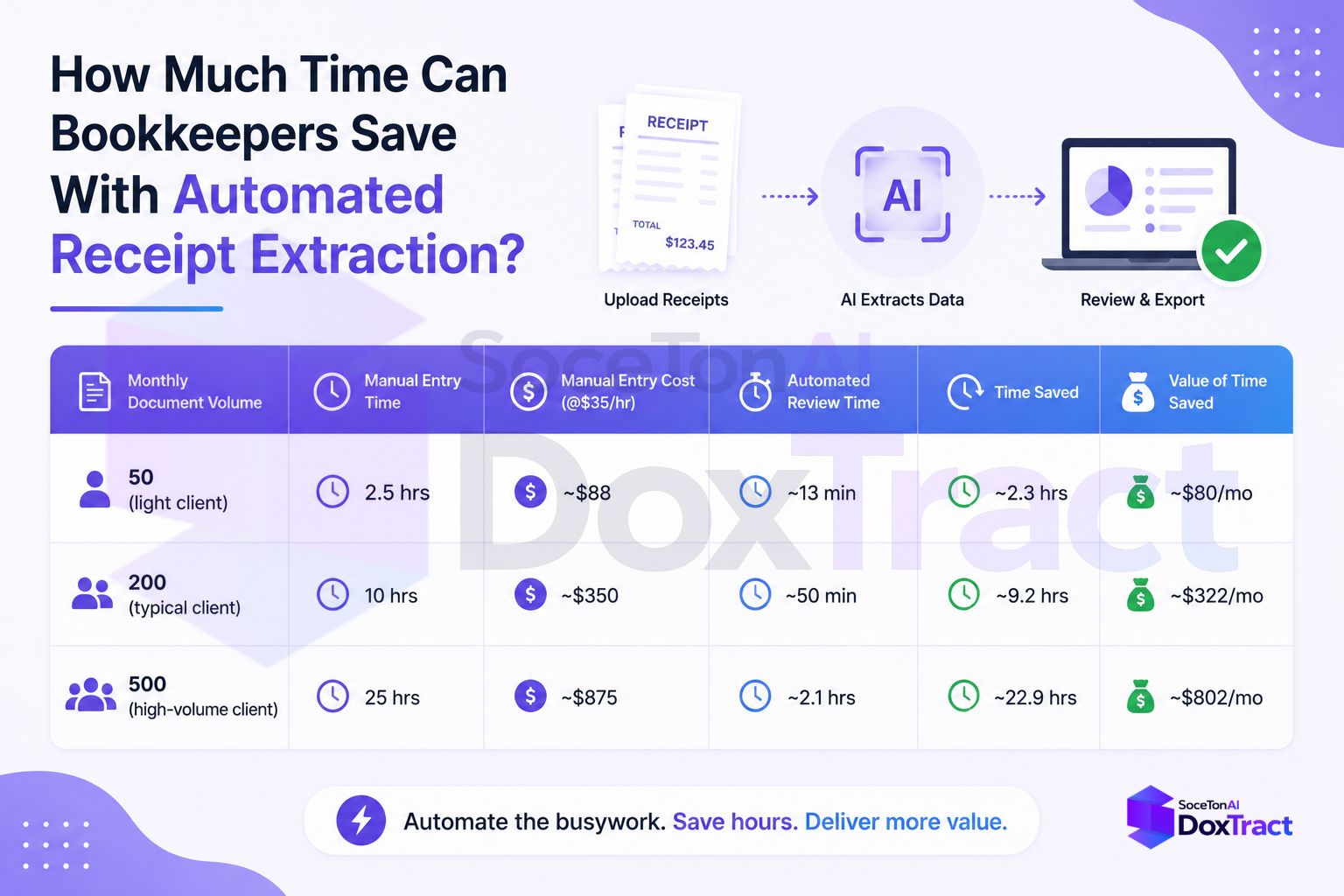
| Monthly document volume | Manual entry time | Manual entry cost (@$35/hr) | Automated review time | Time saved | Value of time saved |
|---|---|---|---|---|---|
| 50 (light client) | 2.5 hrs | ~$88 | ~13 min | ~2.3 hrs | ~$80/mo |
| 200 (typical client) | 10 hrs | ~$350 | ~50 min | ~9.2 hrs | ~$322/mo |
| 500 (high-volume client) | 25 hrs | ~$875 | ~2.1 hrs | ~22.9 hrs | ~$802/mo |
Now scale that across a real bookkeeping practice. A bookkeeper handling 10 clients averaging 150 documents each processes 1,500 documents a month:
Manual: 1,500 × 3 minutes = 75 hours/month — nearly two full work-weeks spent just on data entry
Automated: 1,500 × 15 seconds review = ~6.25 hours/month
Time recovered: ~68.75 hours/month
Value at $35/hr: roughly $2,400/month, or close to $29,000/year — time that goes back into billable advisory work, more clients, or simply not working weekends during tax season
What It Costs to Automate
This is the part that makes the math one-sided. Using DoxTract's pay-as-you-go pricing of $0.0006–$0.007 per page, processing that same 1,500 documents a month costs somewhere between $0.90 and $10.50 — and the first 200 pages every month are free. Compared to roughly $2,400/month in recovered labor value, the extraction cost is close to a rounding error.
It's Not Just Time — It's Error Costs Too
Manual entry's error rate isn't just an accuracy footnote — it's a cost multiplier. <cite index="36-1">Nineteen percent of manually processed expense reports contain errors</cite>, and each one costs additional time and money to catch and fix. A transposed total or a missed decimal doesn't just cost the minute it takes to notice — it costs the reconciliation time to trace it back, and potentially a client's trust if it reaches their books uncaught. Automated extraction doesn't eliminate errors entirely, but it removes the most common human ones — transposed digits, skipped fields, fatigue-driven typos — from the largest volume of your workload.
Where the Savings Actually Show Up
For a freelance or small bookkeeping practice, this time doesn't just disappear into "efficiency" — it shows up as:
Capacity for more clients without a proportional increase in hours worked
Room to raise your effective hourly rate, since less of it is spent on the lowest-value task in the workflow
A lighter tax-season crunch, since document backlog stops being the bottleneck
Fewer end-of-month surprises, since data lands in the books continuously instead of in a monthly catch-up sprint
Try the Math on Your Own Numbers
The scenarios above use round numbers — your actual client mix and document volume will differ. A rough way to estimate your own savings:
Manual hours/month = (documents/month × 3 minutes) ÷ 60
Automated hours/month = (documents/month × 0.25 minutes) ÷ 60
Monthly value recovered = (Manual hours − Automated hours) × your hourly rate
Getting Started
The setup cost is a one-time template per client or document type — after that, the savings compound every month with no additional work. Build your first template in the Template Editor (no signup required to try it), run a real batch of client receipts through it, and time the difference yourself. Check Pricing to map the numbers above onto your actual client volume — the free tier (200 pages/month) is enough to test this on a real client before deciding to roll it out further.