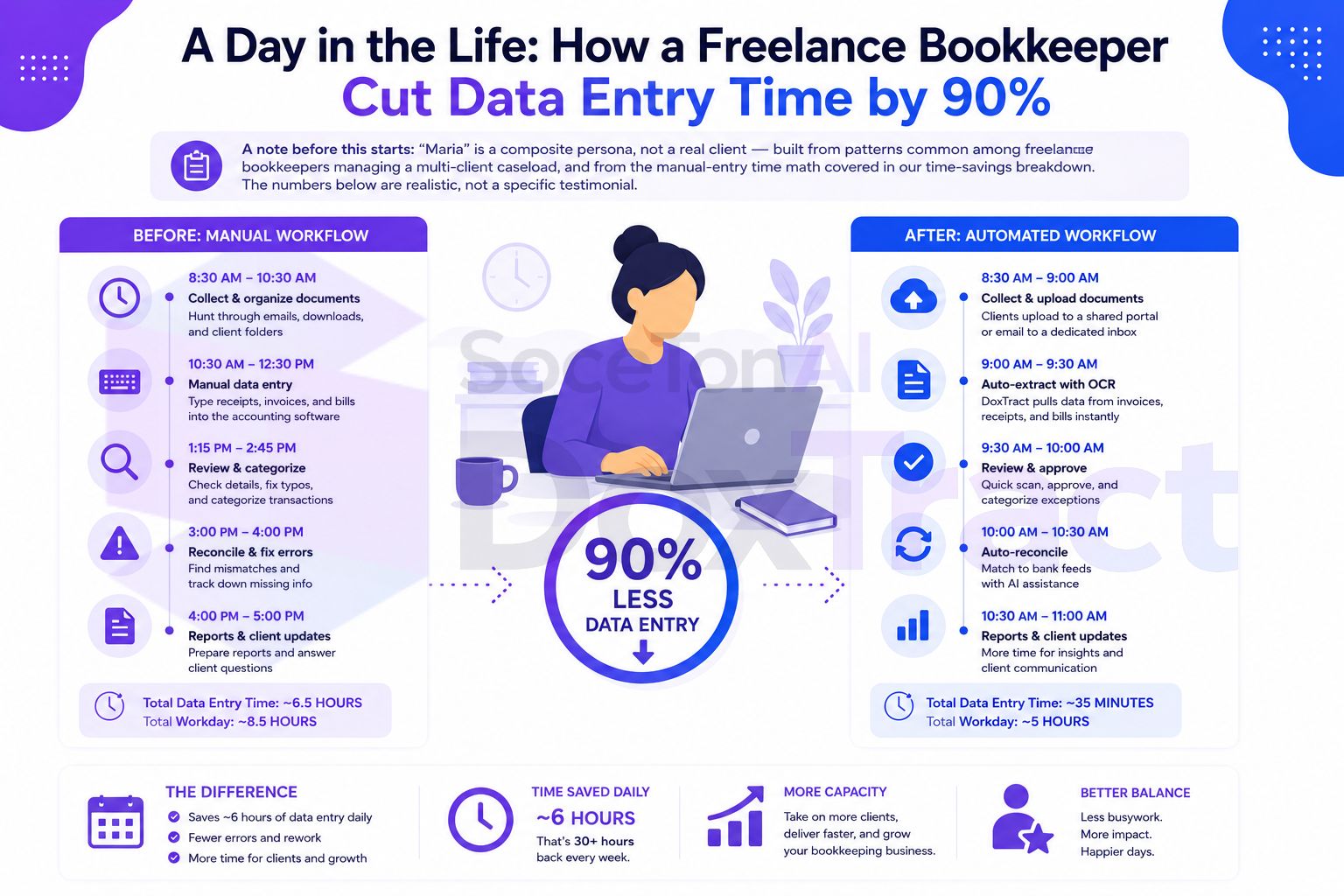
A Day in the Life: How a Freelance Bookkeeper Cut Data Entry Time by 90%
A note before this starts: "Maria" is a composite persona, not a real client — built from patterns common among freelance bookkeepers managing a multi-client caseload, and from the manual-entry time math covered in our time-savings breakdown. The numbers below are realistic, not a specific testimonial.
Meet Maria
Maria runs a solo bookkeeping practice with 12 small-business clients — a mix of contractors, a couple of local retailers, and a handful of consultants. Across all twelve, she processes roughly 180 receipts and invoices a week. Nothing exotic: coffee shop receipts, vendor invoices, the occasional multi-page purchase order from her one distribution client.
Like most bookkeepers at this stage, she wasn't using any dedicated receipt-scanning tool. Documents arrived by email, by text, occasionally by a client physically handing her a folder — and every single one got read and typed in by hand.
The Old Tuesday
8:00 AM — Maria opens her laptop to three new client folders that came in overnight, plus the usual backlog. She sorts by client first, since mixing them up means double-checking later.
8:15 AM – 10:30 AM — Client One's receipts: 22 of them, a mix of fuel, supplies, and two vendor invoices with line items. Each one gets opened, read, and typed into the ledger — roughly 3 minutes each once you count finding the file, reading the amount, checking the date, and picking a category. That's a little over an hour for one client alone.
10:30 AM – 11:00 AM — A break, mostly because two hours of straight data entry is genuinely tiring, and the error rate creeps up when she pushes through it.
11:00 AM – 1:00 PM — Two more clients, another 35 documents. One of them is the distribution client with line-item invoices — those take longer, closer to 5 minutes each, since there's more to transcribe per document.
1:00 PM – 2:00 PM — Lunch, which she's learned to actually take, because afternoon data entry after skipping lunch is where mistakes happen.
2:00 PM – 4:30 PM — The rest of the day's backlog: four more clients, another 60-odd documents, plus a reconciliation pass where she's cross-referencing a few of the invoices she just entered against a bank statement — reading each one again to find its match.
4:30 PM – 5:00 PM — Email replies, mostly "still waiting on your March receipts" reminders to two clients.
By the end of the day, Maria has processed about 117 documents and spent close to 6 hours on data entry alone — not counting the reconciliation cross-referencing, which overlaps with the same reading-heavy work. That's most of a workday spent transcribing, on a caseload that's actually pretty typical for a solo practice this size.
What Changed
Maria didn't overhaul her whole practice at once. She picked her highest-volume client — the distribution business with the line-item invoices, since those were both the slowest to type and the most repetitive in format — and built one extraction template for their invoice layout in DoxTract's Template Editor. It took about twenty minutes: draw a box around each label that stays the same on every invoice from that client's vendors, connect it to the value next to it, save it.
She ran the next week's batch through the dashboard instead of typing it by hand — upload the files, click extract, review the CSV. The first run took a few minutes to double-check against the originals, mostly out of habit. It was accurate. She built two more templates that week for her next-highest-volume clients, and kept typing the rest by hand for now — no reason to convert everything on day one.
The New Tuesday
Six weeks later, three of Maria's twelve clients — covering about 60% of her total document volume — are running through templates.
8:00 AM — Same three overnight folders. She sorts them the same way, but now the three template-covered clients go straight into a batch upload instead of a read-and-type queue.
8:15 AM – 8:45 AM — She uploads the week's documents for her three automated clients — 70 documents combined — and runs extraction. While that processes, she starts on the remaining manual clients.
8:45 AM – 10:15 AM — The remaining 47 documents from her non-template clients still get typed by hand, at the same ~3 minutes each — about 90 minutes, roughly what a quarter of her old workload used to take.
10:15 AM – 10:35 AM — The extraction job for her three automated clients is done. She reviews the CSV output — a genuinely quick pass, since she's scanning a completed table for anything that looks off rather than reading 70 individual documents. Two flagged items get a closer look; everything else imports as-is.
10:35 AM — Data entry for the day is done. What used to run until 4:30 PM wrapped up before 11.
The rest of Maria's day — previously swallowed by transcription — now goes to the reconciliation work she used to squeeze in around data entry, a call with a client about their Q2 numbers, and picking up a thirteenth client she wouldn't have had the bandwidth for six weeks earlier.
The Numbers
| Old Tuesday | New Tuesday | |
|---|---|---|
| Documents processed | 117 | 117 |
| Time on data entry | ~6 hours | ~2.3 hours |
| Automated clients | 0 | 3 of 12 |
| Time saved | — | ~63% that day, and climbing as more clients convert |
For the three clients now running through templates specifically, the reduction is closer to 90% — the math the whole shift is built on: roughly 3 minutes of manual entry per document drops to about 15–20 seconds of batch review once a template exists. Maria's day-level number is smaller than that because most of her caseload isn't converted yet — the 90% figure is what a fully templated client looks like, not her blended average on day one.
What This Actually Looked Like Over Time
Maria didn't automate everything in week one, and that was the right call — it let her confirm accuracy on her highest-volume client before trusting the workflow anywhere else. By month three, seven of her twelve clients were running through templates, and her weekly data-entry time had dropped from roughly 30 hours to under 10 — time that went into the reconciliation and advisory work she used to have no bandwidth for, and into taking on new clients without dreading the paperwork that would come with them.
Try It Yourself
The starting point is the same one Maria used: pick your single highest-volume or most repetitive client, build one template for their most common document in the Template Editor — no signup required — and run a real week's batch through it. Check Pricing; the free tier (200 pages/month) is enough to run this exact experiment before deciding how far to take it.