Invoice OCR vs Manual Data Entry: Cost and Time Comparison
Every AP team already knows manual invoice processing is slow. Fewer have actually put a number on it. This post does the math — labor, errors, approval delays, and the per-invoice cost of invoice OCR versus keying invoices by hand — so you can see exactly where the savings come from before you evaluate AP automation for your own team.
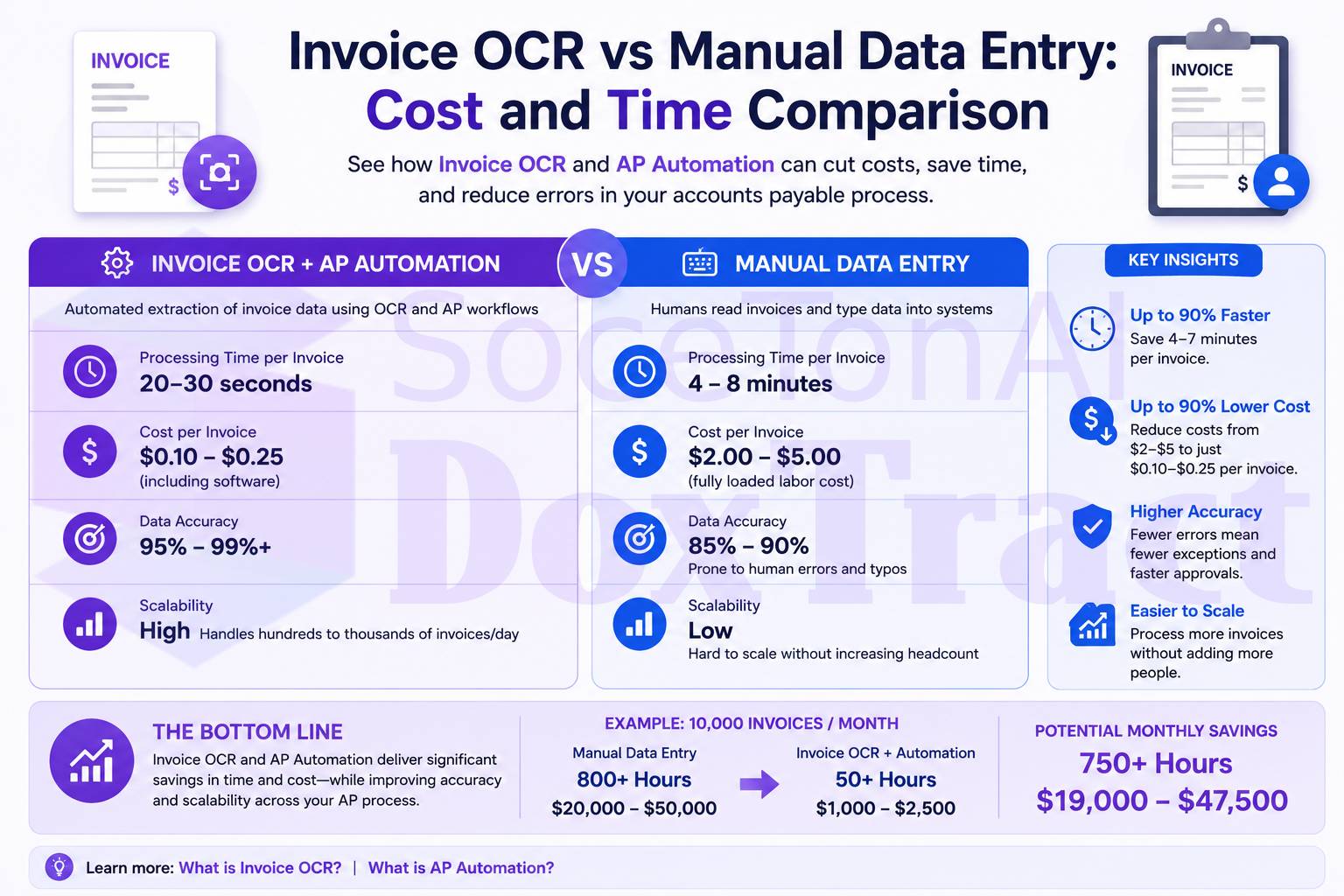
What Manual Invoice Processing Actually Costs
Industry benchmarks from IOFM, Ardent Partners, and APQC converge on the same range: manual invoice processing costs $10–$22 per invoice, with the commonly-cited planning number sitting around $15–$16. That figure isn't just data-entry time — it's the sum of five cost drivers that most finance teams never break out individually:
| Cost driver | Time per invoice | Why it happens |
|---|---|---|
| Data entry | 8–15 minutes | Manually keying header and line-item fields from the document into the ERP |
| Approval routing | 5–8 minutes active labor, 1–2 days latency | Finding the right approver, emailing, chasing follow-up |
| 2-way/3-way matching | 5–10 minutes | Manually checking the invoice against the PO and receipt |
| Error correction | 20–30 minutes per error, at a 1–5% error rate | Transposed digits, wrong vendor codes, duplicate entries |
| Exception handling | 20–30 minutes per exception, ~10% of invoices | Price mismatches, missing PO references, quantity differences |
Add it up and a single AP clerk can realistically process about 25–40 invoices a day — call it 500–800 a month. A company processing 1,000 invoices a month at $16 each is spending roughly $192,000 a year just to get invoice data into a system, before payments are even scheduled.
Two things make this worse over time. First, manual cost per invoice doesn't improve with scale — it's linear labor, so growth means hiring, not efficiency. Second, error correction compounds: at a 2% error rate, 1,000 invoices a month produces 20 errors, each costing $25–$50 to research and fix — an "error tax" that's invisible in most AP budgets because it's spread across dozens of small daily tasks rather than one line item.
What Invoice OCR Changes
Automated extraction replaces the data-entry step — reading the invoice and populating structured fields — with software. That doesn't eliminate AP work entirely, but it collapses the largest cost driver in the table above.
| Manual | Invoice OCR / Automation | |
|---|---|---|
| Time per invoice | 10–30 minutes | 2–5 minutes (mostly review, not entry) |
| Cost per invoice | $10–$22 (avg. ~$16) | Under $1 to ~$5, depending on platform |
| Error rate | 1–5% of invoices | Well under 1% on stable, consistent layouts |
| Processing capacity per person | 25–40 invoices/day | 3–4x that volume, same headcount |
| Cycle time (receipt to payment) | Industry median 8.3 days | Under 1 day for fully automated workflows |
The net effect reported across multiple case studies is an 80% or greater reduction in per-invoice cost, driven almost entirely by removing manual keying and cutting the error-correction cycle down to near-zero on well-structured documents. Importantly, most companies don't shrink their AP team after automating — they redeploy staff from data entry toward vendor management, exception handling, and cash flow work, and absorb 2–3x the invoice volume with the same headcount.
Where the Accuracy Number Actually Matters
Cost savings from OCR only hold up if the extracted data is trustworthy — otherwise you've just moved the error-correction cost from data entry to output verification. That's why field-level accuracy, not headline OCR accuracy, is the number to check before switching. In our own benchmark of SoceTonAI DoxTract across 4,000 real invoices, invoice number and vendor fields held 92–100% accuracy across varying templates, with total amount as the field most sensitive to layout changes — a pattern worth understanding before you assume "OCR" means "no review needed." (Full write-up here.)
The practical takeaway: automation doesn't remove human review entirely — it shrinks the review surface from every field on every invoice down to the handful of fields and templates that genuinely need a second look.
Running the Numbers with DoxTract
DoxTract prices extraction as low as $0.6 per 1,000 pages on volume, with a free tier covering 200 pages a month plus 20 lifetime templates — enough to test real invoices before committing to anything. Compare that to the manual benchmark above:
1,000 invoices/month: Manual cost ≈ $16,000/month. DoxTract's page-based pricing runs a small fraction of that, even accounting for review time on lower-confidence fields.
5,000 invoices/month: Manual cost ≈ $80,000/month. At this volume, the labor savings alone typically justify automation within the first billing cycle.
10,000+ invoices/month: This is where manual processing usually requires adding headcount just to keep pace — automation instead scales on infrastructure cost, which grows far more slowly than a linear headcount curve.
The exact savings depend on your invoice mix, template variety, and how much review your team wants to keep in the loop — but the direction is consistent across every benchmark cited above: the gap between manual and automated invoice processing is measured in multiples, not percentages.
Is It Worth Switching?
A rough rule from the industry data above: if your per-invoice cost is above $10, your cycle time is longer than 5 days, or exceptions eat more than 20% of your team's time, automation typically pays for itself within a quarter. Below that, it still compounds — the savings scale with volume, and invoice volume for most growing businesses only goes up.
If you want to see the real numbers on your own documents rather than industry averages, try DoxTract's free tier — 200 pages a month, no credit card required, and you can compare the output against what your team would have keyed by hand.