Documentation
How to Generate New API Keys
Overview
Every user can generate their own API credentials (key and secret) from the dashboard. These credentials are required for all API calls.
Steps
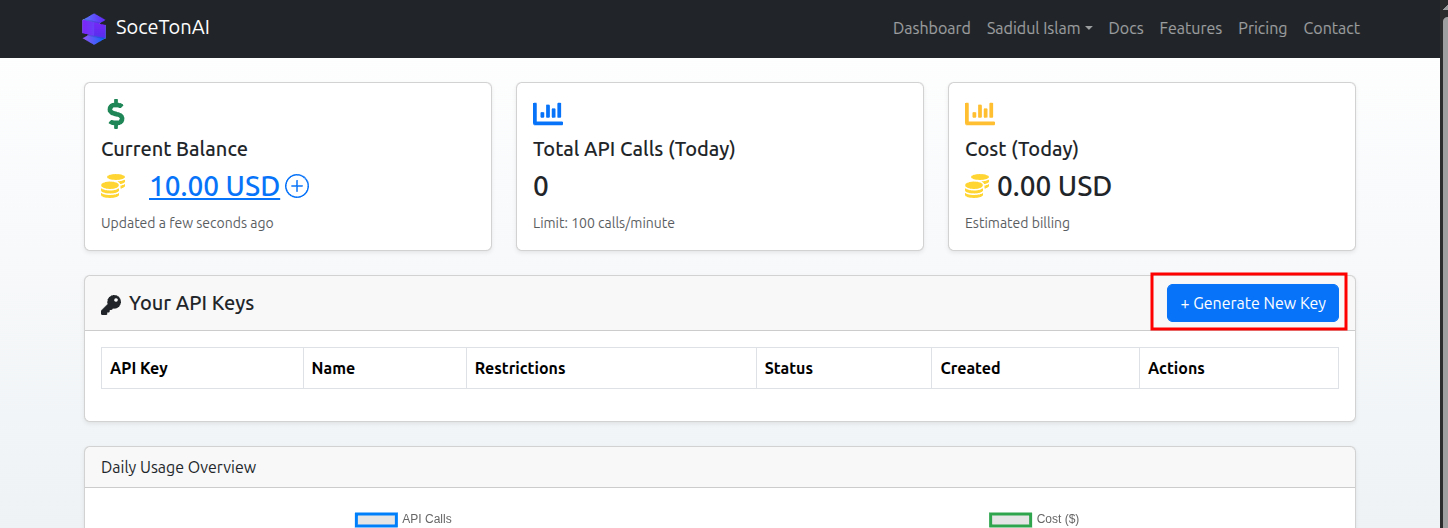
Go to your dashboard (if you are not already in dashboard).

Click Generate New Key.
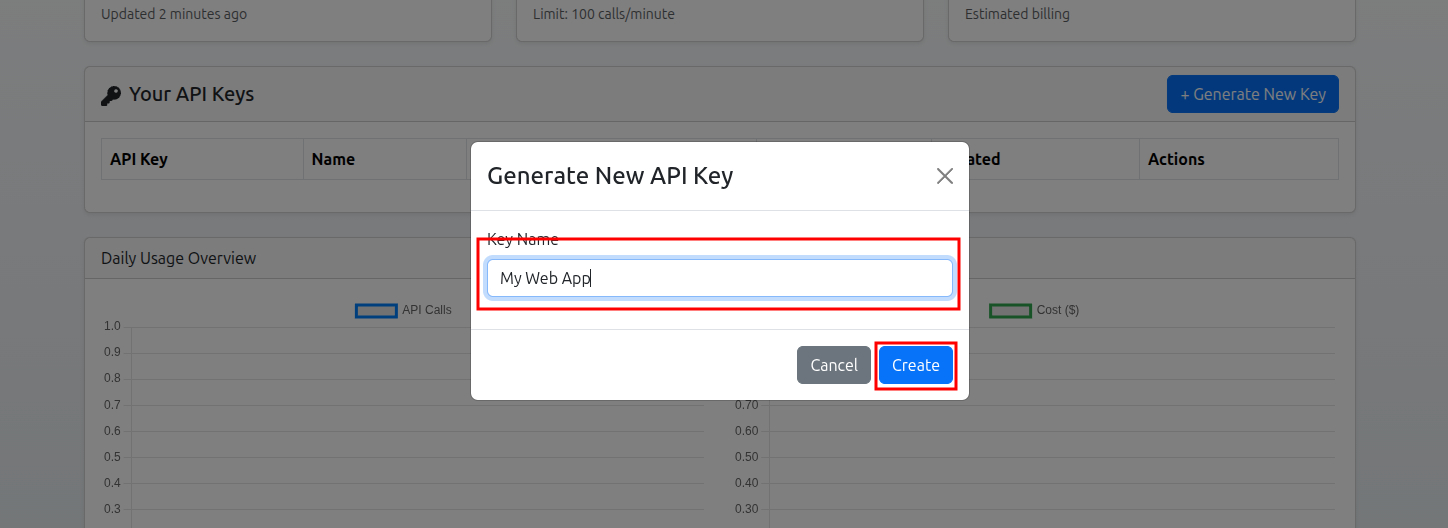
Enter Key Name and click on Create
Your
API KeyandAPI Secretwill appear instantly. It will appear only once, so, copy it for later use. Keep them private — never share publicly.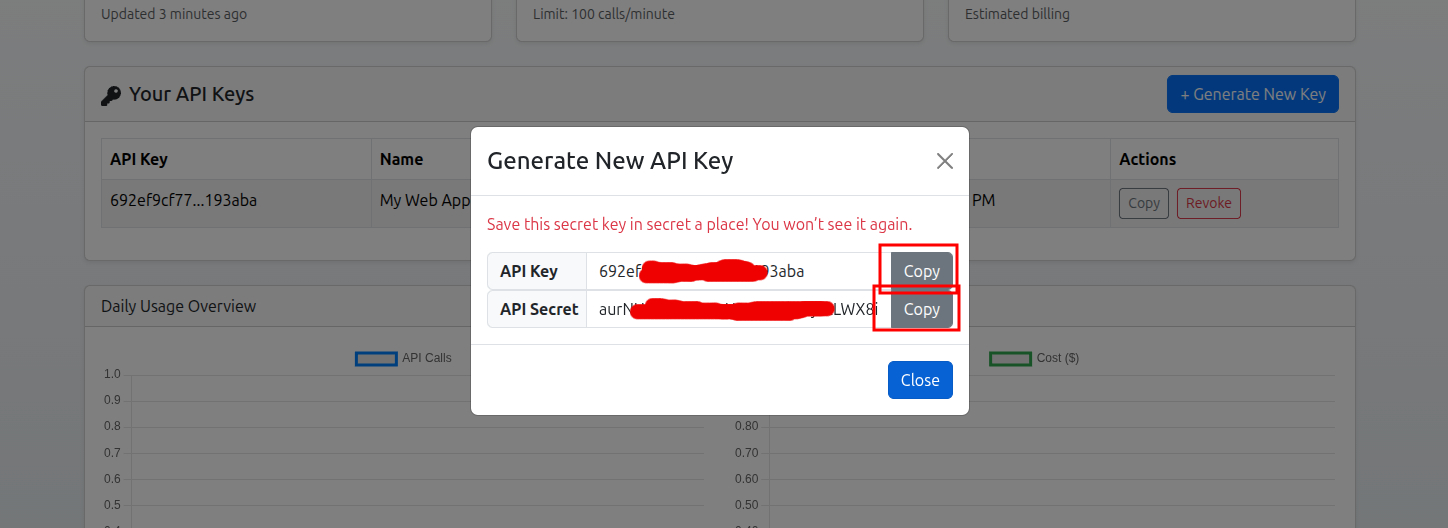
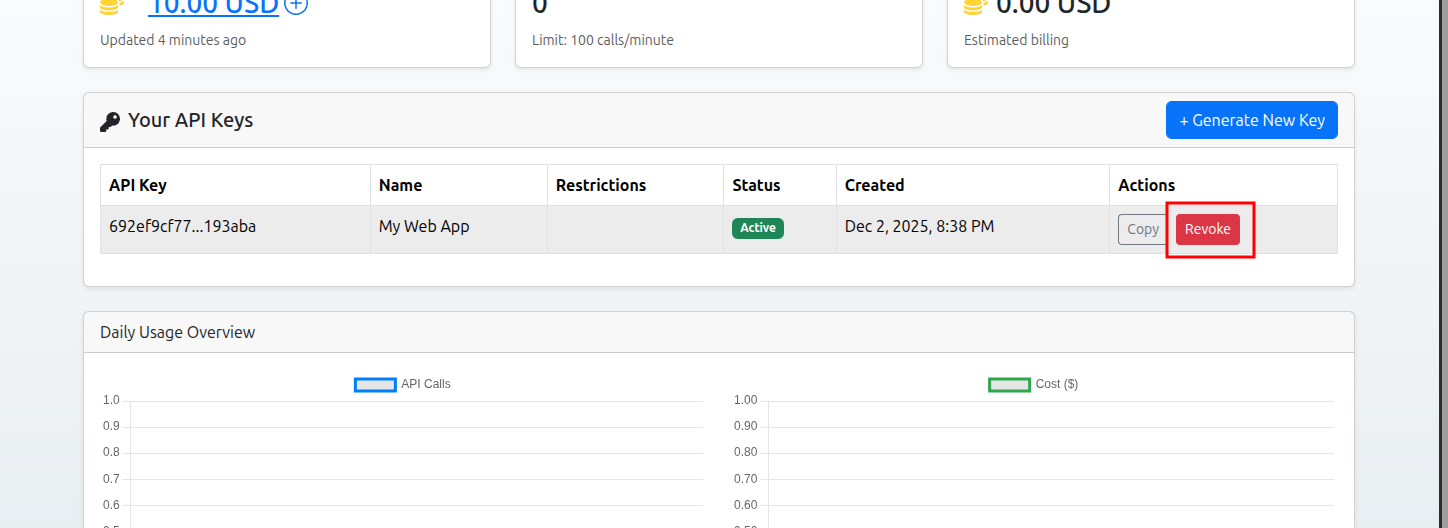
(OPTIONAL) If you want to revoke/delete the API Key then click on Revoke. This will remove your API Key.
Example Credentials
X-API-KEY: 68f9982c26d3feefc1de1314
X-API-SECRET: 9UBtovyVNWBP3qZ6ltpsZ0dGDDahLpR09QZYcC2saJk