Documentation
How to View Logs for API Access
Overview
You can see the log of the last request of an API Key. The debug: true for the find section of the YAML becomes helpful to see where it is failing or how is it correctly working.
Steps
Go to your dashboard (if you are not already in dashboard).

Click Logs of the desired API Key.
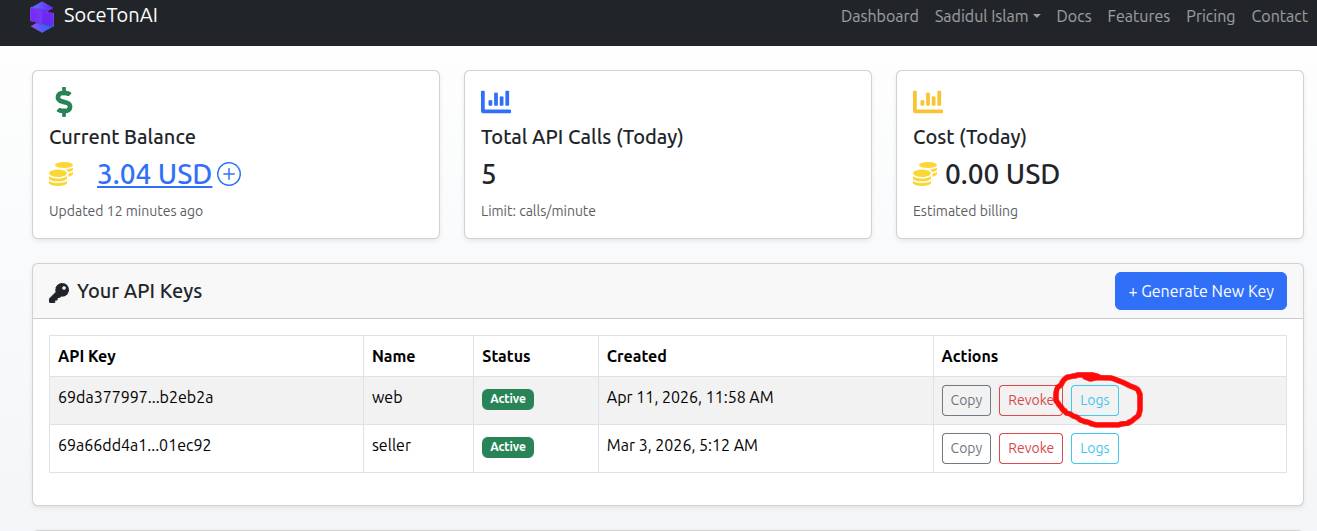
View logs and modify the YAML as you need
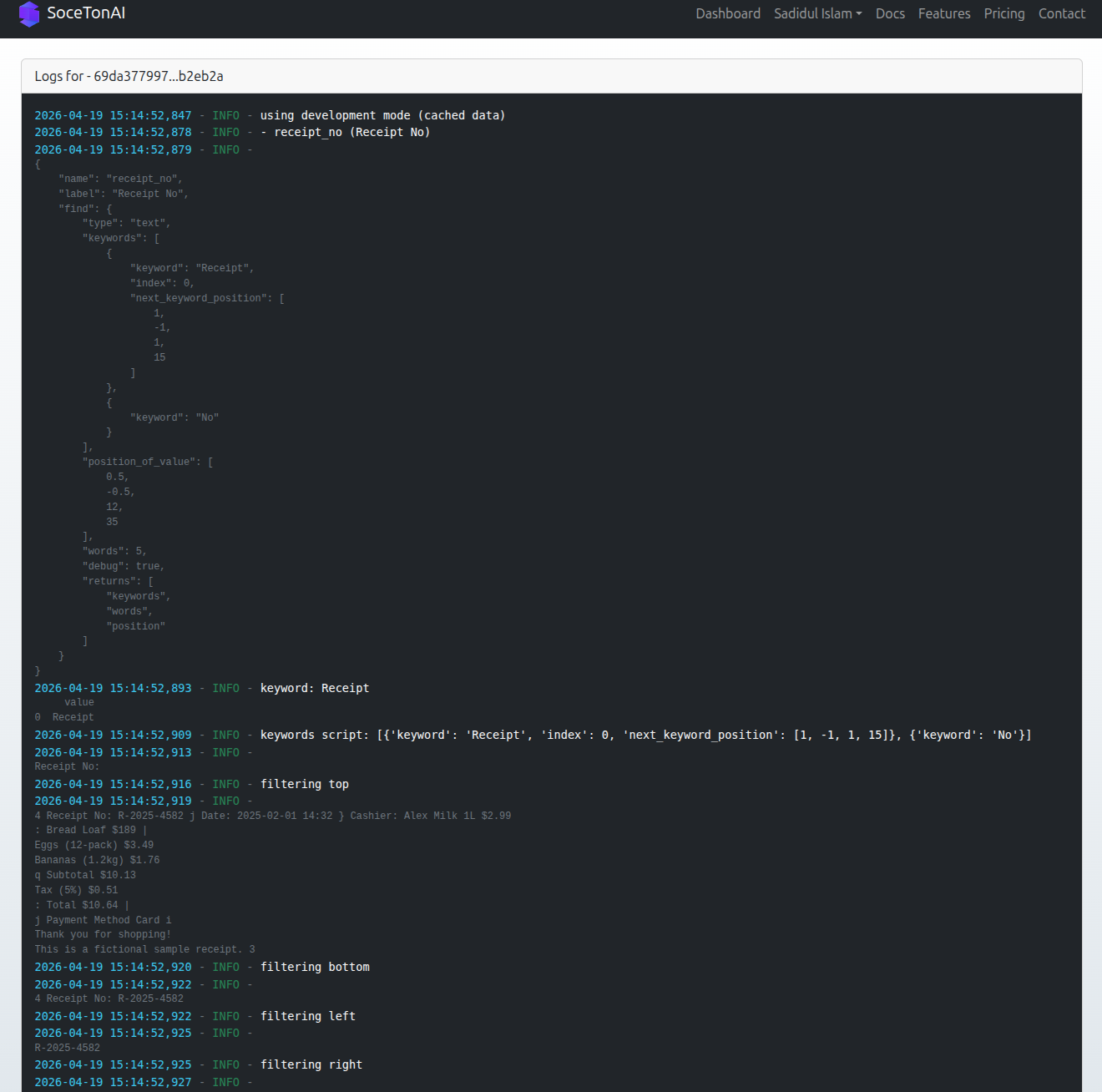
Set debug=true in the YAML file to generate debug logs
              - name: address
                label: "Address"
                find:
                  type: text
                  keywords:
                    - keyword: "Address"
                      index: 0
                      next_keyword_position: [ 1, -1, 1, 3 ]
                    - keyword: ":"
                  position_of_value: [1, -1, 7, 45]
                  words: 10
                  debug: true  # Get helpful logs on the logs page of the API Key
                  returns:
                    - keywords
                    - words
                    - position