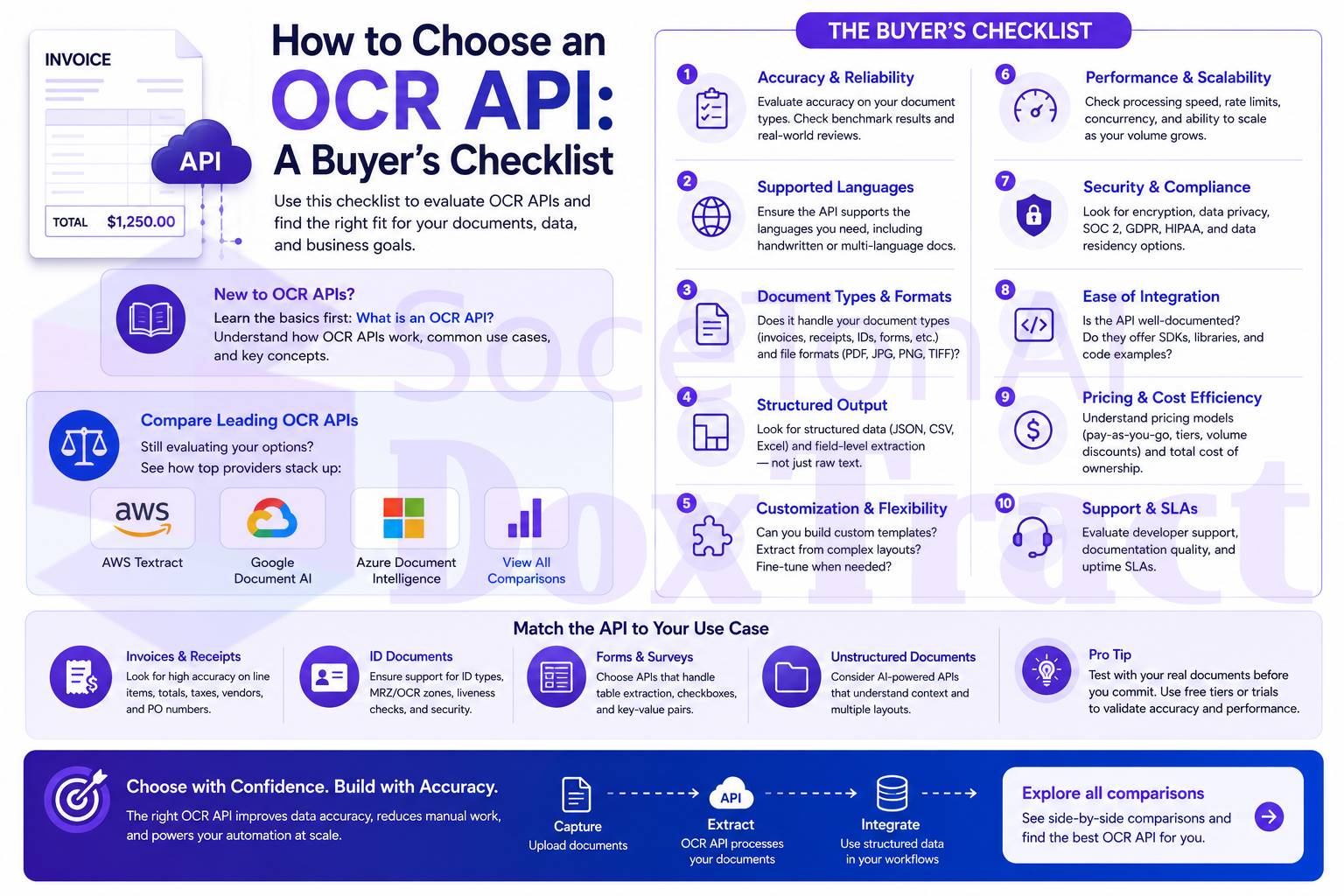
How to Choose an OCR API: A Buyer's Checklist
Every OCR API vendor's homepage looks the same: "industry-leading accuracy," "seamless integration," "enterprise-ready." None of that tells you whether the API will actually work on your documents, at your volume, for a price that makes sense in six months.
This checklist covers what to actually check before you commit — accuracy claims, pricing structure, integration effort, and the questions most buyers only think to ask after they've already signed a contract.
1. Ask for Field-Level Accuracy, Not a Headline Number
Every major vendor will quote a number in the high 90s for OCR accuracy on clean printed text — and they're not lying, they're just answering a question that doesn't predict how the API performs on your actual documents. Raw character accuracy tells you the API can read text correctly. It doesn't tell you whether it identified the right number as your invoice total.
What to ask instead:
What's your field-level accuracy on invoices/receipts/POs specifically — not just text recognition?
How does accuracy hold up when the layout changes (new vendor, new template)?
Which fields are hardest to extract reliably, and what happens to them — do they degrade into a review queue, or fail silently?
A vendor that can answer with real benchmark data, broken down by field and by layout variation, is worth more trust than one that repeats a single blended percentage. (See what field-level accuracy actually looks like in practice.)
2. Understand the Pricing Model — All of It
OCR pricing is rarely one number. The big three cloud APIs each split pricing across multiple tiers — basic OCR, forms/tables, prebuilt models, custom extraction — and calling more than one feature on the same page means paying for each separately. On top of the per-page rate, watch for:
Hosting fees for deployed custom models, billed hourly whether you use them or not
Training costs for custom extractors, sometimes billed per hour beyond a free allotment
Classification tiers — if your pipeline identifies document type before extracting, that's often a separate billable step
Volume breakpoints — rates that look cheap at low volume can look very different once you cross a threshold
Run your actual monthly page count against each pricing tier before comparing headline rates. A full breakdown of how AWS Textract, Google Document AI, and Azure Document Intelligence price out is here: AWS Textract vs Google Document AI vs Azure Document Intelligence →
3. Test the Free Tier on Real Documents — Not Sample PDFs
A free tier that only works on the vendor's demo document tells you nothing. Before committing, check:
Does the free tier let you upload your own documents, or only pre-loaded samples?
How many pages, and is it a one-time credit or a recurring monthly allowance?
Are core features (forms, tables, prebuilt models) available in the free tier, or gated behind a paid plan?
A free tier that caps at 500 pages a month but only processes the first two pages of each request — a real limitation on at least one major provider's free tier — isn't actually usable for production-scale testing. Read the fine print, not just the headline number.
4. Match the Extraction Approach to Your Document Type
Not every OCR API works the same way under the hood, and the underlying approach determines both cost and reliability for your specific use case:
Template/rule-based extraction is deterministic, cheap, and auditable — strong for recurring, known-format documents like invoices from a stable set of vendors, but requires a template per layout.
AI/LLM-based extraction adapts to any layout without configuration — strong for unpredictable, high-variance documents, but costs more per page and can produce less predictable output.
Most vendors lean one direction or the other; some offer a hybrid. Know which one matches your document mix before you evaluate pricing, because the "cheap" option on paper can get expensive fast if it's the wrong architecture for your documents. (Full breakdown of the trade-offs →)
5. Check What's Actually Included Beyond Extraction
Raw field extraction is table stakes. The real cost of adopting an OCR API often shows up in what you have to build yourself on top of it:
Review/exception UI — does the API come with any interface for a human to check low-confidence fields, or is that entirely your engineering team's responsibility?
Confidence scoring — can you set thresholds to auto-route low-confidence extractions to review instead of trusting every field blindly?
Audit trail — can you show, after the fact, why a given value was extracted?
Template management — if the API is template-based, is there a UI for building and reusing templates, or is it code-only?
A number of hyperscaler APIs have actively removed built-in review tooling in recent product changes, pushing that responsibility onto the buyer. Confirm what you're getting before assuming a "complete" solution.
6. Calculate the Real Cost, Including Integration Time
The per-page rate is the smallest line item for most teams. Factor in:
Developer time to wire up authentication, storage, and the API itself (commonly 40–80+ hours for hyperscaler APIs with no packaged UI)
Ongoing pipeline maintenance as document formats evolve
The manual review time your team will still spend on lower-confidence fields
Compare that total cost — not just the API rate — against the true cost of your current manual process. See the full cost and time comparison between manual data entry and invoice OCR →
7. Confirm Data Handling and Region Support
If you're processing invoices, IDs, or financial documents, ask directly:
Where is data processed and stored, and does that meet your compliance requirements?
Is data ever used for model training, or is it strictly processed and discarded/returned?
Are region-specific deployments available if data residency matters for your business?
The Checklist, Summarized
Before you sign anything, you should be able to answer:
What's the field-level accuracy on my document type, not just general OCR accuracy?
What's the fully loaded price at my actual monthly volume, including hosting/training fees?
Can I test the free tier on my own real documents, not just samples?
Does the extraction approach (template vs. AI) match how consistent my document layouts actually are?
What review, confidence scoring, and audit tooling comes included versus what I'd build myself?
What's the realistic integration timeline and engineering cost, beyond the per-page rate?
Does the vendor's data handling meet my compliance requirements?
See How the Options Compare
If you're weighing the major OCR APIs against each other, these comparisons cover pricing, accuracy, and fit in detail:
DoxTract's free tier — 200 pages a month plus 20 lifetime templates — is built specifically so you can run this checklist against your own documents before committing. Try it free →