Best Tools for Virtual Assistants Handling Bookkeeping Tasks
Virtual assistants who take on bookkeeping-adjacent work — receipts, expense tracking, invoice follow-up — usually aren't looking for the same heavyweight practice-management stack a licensed bookkeeper runs. The job is different: often hourly-billed, spread across a mix of clients with wildly different needs, and light on formal accounting training. The right tools reflect that — simple, fast to learn, and genuinely no-code.
Here's what actually helps, category by category.
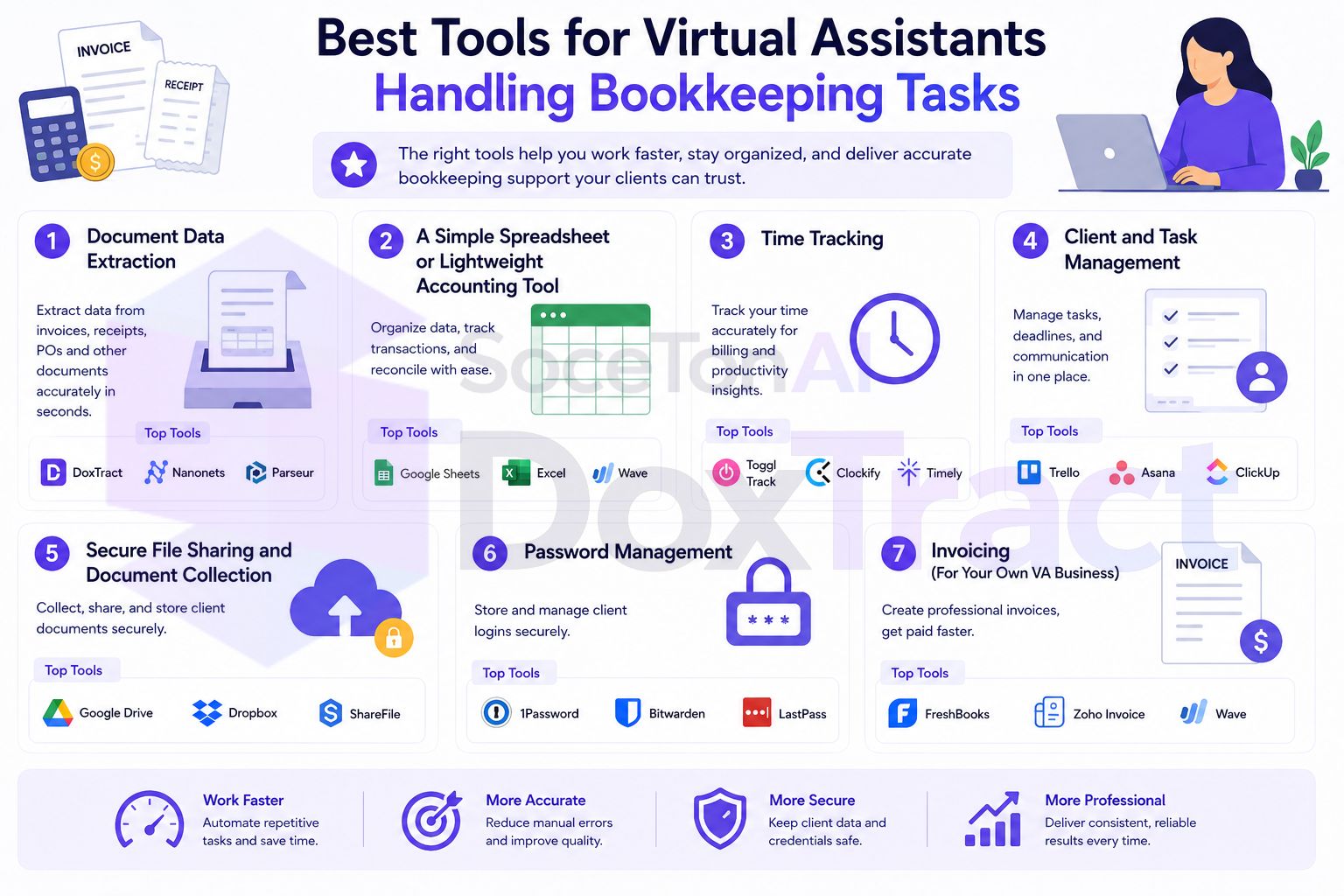
1. Document Data Extraction
This is the tool most VAs doing bookkeeping tasks are missing, and it's the one with the clearest payoff: instead of opening every receipt and invoice to type what it says, a template reads it for you.
We recommend SoceTonAI DoxTract for this specifically because it's built to be used entirely from a dashboard — no code, no developer needed. Build a visual template per client in the Template Editor (free to try, no signup required) by drawing boxes around the fields you need, then batch-upload documents and get back a structured CSV. It handles nonstandard invoice layouts and line-item tables that simpler receipt scanners choke on, which matters when you're juggling several clients' very different document formats.
Our take: if you're currently typing receipt or invoice data by hand for any client, this is the highest-leverage tool to add first — it directly removes hours rather than just organizing the same manual work better.
2. A Simple Spreadsheet or Lightweight Accounting Tool
Not every client needs full QuickBooks or Xero access, and not every VA needs (or wants) to learn a full accounting platform.
Google Sheets — often genuinely enough for tracking expenses, categorizing spend, and producing a client-readable summary, especially paired with extracted data that's already structured.
Wave — free, and a reasonable fit if a client wants something closer to real accounting software but doesn't have complex needs.
Our take: don't over-tool this category. A well-organized spreadsheet fed by clean, already-extracted data does most of what a VA actually needs without the learning curve of a full accounting platform.
3. Time Tracking
If you bill hourly — common for VA work — time tracking isn't optional, and the tool matters less than actually using it consistently.
Toggl Track — simple, widely used, easy to categorize time by client and task.
Clockify — a solid free alternative with similar core functionality.
Our take: whichever you pick, track time by task category (data entry vs. communication vs. research), not just by client — it's the only way to actually see how much of your billable time automation is freeing up.
4. Client and Task Management
Juggling several clients' recurring tasks without a system is how things get missed.
Trello or Asana — simple boards or lists per client, good for tracking recurring monthly tasks (receipts collected, expenses categorized, summary sent).
A shared client dashboard inside an all-in-one VA/agency platform, if you're working through one.
Our take: the specific tool matters less than having one place where "did I finish this client's expense summary this month" is a glance, not a memory exercise.
5. Secure File Sharing and Document Collection
Where a lot of disorganization actually starts — receipts and invoices scattered across email threads instead of a predictable place.
A dedicated shared drive folder per client — Google Drive or Dropbox, scoped to that client only.
A simple forwarding email address per client for receipts specifically, separate from general correspondence.
Our take: set this up once per new client during onboarding, not after the first time something goes missing.
6. Password Management
Handling logins across multiple clients' financial tools is a real security responsibility, even for lighter bookkeeping-adjacent work.
1Password or Bitwarden — both support organizing and sharing credentials securely per client, rather than keeping passwords in a notes app or, worse, memorized and reused.
Our take: this is one of the cheapest ways to reduce real risk in a multi-client setup, and one of the most commonly skipped.
7. Invoicing (For Your Own VA Business)
Don't forget the tools for your side of the relationship — billing your own clients for your time.
Wave or PayPal Invoicing — free, simple, sufficient for most solo VA billing needs.
Bonsai or HoneyBook — worth considering if you want contracts, proposals, and invoicing bundled together as your client roster grows.
Our take: keep your own invoicing dead simple — this is not the place to spend setup time better used on client-facing tools.
Putting It Together
| Category | Recommended | Why |
|---|---|---|
| Document extraction | DoxTract | Removes manual receipt/invoice typing |
| Spreadsheet/light accounting | Google Sheets, Wave | Enough for most clients, low learning curve |
| Time tracking | Toggl Track, Clockify | Shows what automation actually saves |
| Task management | Trello, Asana | Nothing falls through the cracks across clients |
| File sharing | Drive/Dropbox, dedicated email | Keeps documents out of personal inboxes |
| Passwords | 1Password, Bitwarden | Secure multi-client credential handling |
| Your own invoicing | Wave, PayPal, Bonsai | Billing your own time, kept simple |
If you're further along and running a full bookkeeping practice rather than VA-style hourly work, our freelance bookkeeper tech stack guide covers the same categories at that scale.
Where to Start
If you're building this stack from scratch, start with document extraction — it's the category most directly tied to hours you're currently spending, not just organization. Build one template for your highest-volume client in the Template Editor, no signup required — or follow the step-by-step UI tutorial if you'd rather see the whole flow, template to CSV, laid out first. Layer in the rest of the stack as it becomes a real bottleneck rather than all at once. Check Pricing — the free tier covers 200 pages a month, enough to test it on a real client before deciding how far to take it.
Coming from an existing multi-client setup rather than starting fresh? How to organize digital receipts for multiple clients covers the folder/naming side once extraction is running.