What Is Receipt OCR? A Complete Guide for 2026
If your team is still stapling paper receipts to expense reports or manually typing totals from a stack of photos into a spreadsheet, receipt OCR is the fix. This guide covers what receipt OCR actually is, how it differs from general invoice extraction, how the technology works, who the major providers are, and how to pick the right one for expense management, reimbursement, or bookkeeping workflows.
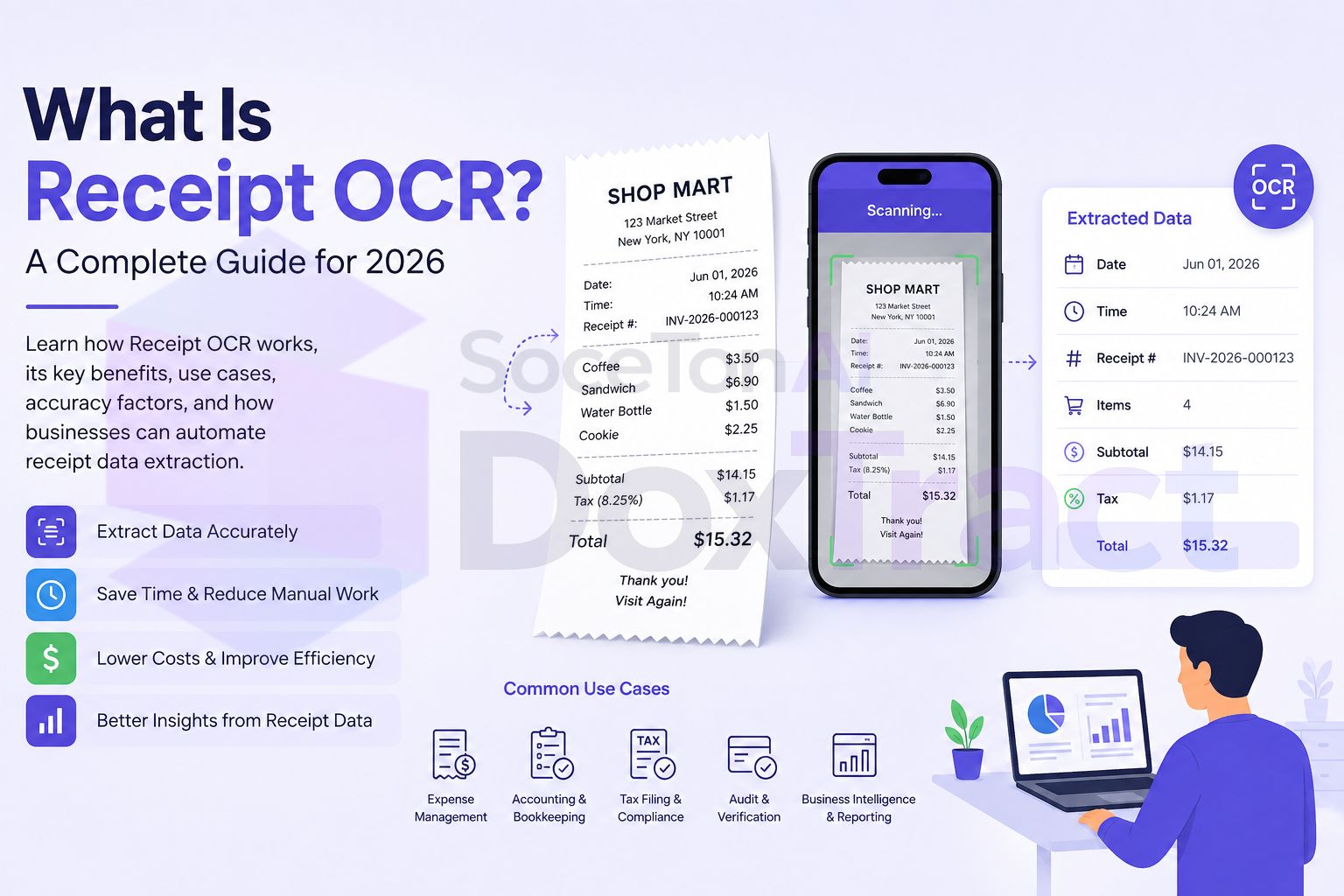
What Is Receipt OCR?
Receipt OCR (Optical Character Recognition) is the process of scanning a receipt — usually a phone photo, but also a scanned or emailed image — and converting the text on it into machine-readable data. On its own, OCR just reads characters: it turns pixels into words and numbers.
Receipt data extraction goes further, pulling out the specific fields that matter for expense tracking and bookkeeping:
Merchant name and location
Transaction date and time
Line items (item description, quantity, price)
Subtotal, tax, tip, and total amount
Payment method (last 4 digits, card type)
Category (meals, travel, office supplies, etc.)
Modern receipt OCR platforms combine text recognition with machine learning models trained on receipt layouts specifically — which matters because receipts behave very differently from invoices (more on that below).
Receipt OCR vs. Invoice OCR: What's Different
They're often grouped together, but receipts and invoices pose genuinely different extraction problems, covered in more depth in our invoice OCR guide:
Capture method — invoices usually arrive as clean PDFs by email; receipts are more often phone photos, which means dealing with glare, creases, faded thermal paper, and skewed angles.
Layout consistency — invoices from a given vendor tend to reuse the same template; receipts vary wildly even from the same merchant (different registers, different printers, different formats over time).
Volume and urgency — receipts are typically captured in the moment (at a register, right after a meal) and processed in bulk later, while invoices tend to arrive continuously and get processed closer to real time.
Field differences — receipts commonly need tip and payment-method fields that invoices rarely have; invoices commonly need PO numbers and payment terms that receipts rarely have.
Because of this, some providers specialize specifically in receipt capture (mobile-first, tuned for thermal-paper and low-quality photos) rather than treating receipts as a subset of general document extraction.
Why Receipt OCR Matters
Receipts are high-volume, low-value-per-document, and disproportionately time-consuming to process manually. Automating extraction typically delivers:
Faster expense report turnaround — employees submit a photo instead of typing every line item
Fewer reimbursement errors — reduces mismatches between claimed and actual amounts
Lower processing cost per document — manual entry cost scales with headcount; automated extraction doesn't
Better policy compliance — structured data makes it easier to flag out-of-policy spend automatically
Cleaner audit trails — timestamped, structured extraction data supports expense audits and reconciliation
How Receipt OCR Works
A typical receipt OCR pipeline follows the same broad stages as invoice extraction, with a few receipt-specific adjustments:
Capture — usually a phone photo via a mobile app or upload, sometimes a scanned or emailed receipt.
Preprocessing — this step matters more for receipts than invoices: deskewing angled photos, correcting glare, and enhancing contrast on faded thermal print.
OCR / text detection — the engine detects text regions and recognizes characters, converting pixels into raw text with bounding-box coordinates.
Field understanding — models map detected text to expected receipt fields (merchant, total, tax, line items) despite the layout inconsistency between merchants and even between visits to the same merchant.
Structuring and validation — extracted fields are normalized (currency, date format) and validated — for example, checking that line items plus tax and tip sum to the total.
Output / integration — structured data returns via API (typically JSON) or feeds directly into an expense management tool, accounting system, or reimbursement workflow.
As with invoices, two extraction approaches show up in the market: template-based extraction, useful when you process high volumes of receipts from the same recurring merchants, and zero-shot/schema-based extraction, which handles unfamiliar merchant layouts without a predefined template — the more common default for receipts specifically, given how much layout variety exists even within one merchant chain.
Common Use Cases Beyond Expense Reports
Receipt OCR shows up in more places than employee reimbursement:
Bookkeeping and tax-prep document digitization for small businesses
Retail and loyalty program receipt validation
Warranty and returns processing (proof of purchase)
Personal finance and budgeting apps
Insurance claims requiring proof of purchase or repair costs
Receipt OCR Providers Compared
Veryfi
Purpose-built for receipt and invoice OCR with a strong mobile SDK and an emphasis on speed and data privacy (on-device/non-retention options). Veryfi is the closest thing to a receipt-OCR specialist on this list, commonly used by expense management and fintech products needing real-time, camera-based capture. Pricing starts from roughly $160/month with monthly minimums; the free tier covers 100 invoices plus 100 receipts a month.
AWS Textract
Textract's AnalyzeExpense API covers both invoices and receipts, so it's usable here, but it isn't tuned specifically for phone-captured, low-quality images the way a receipt-first tool is. Pricing runs $10–50/1,000 pages for structured extraction depending on which API you use — see the full pricing breakdown for the exact figures.
Google Document AI
Google's Expense Parser handles receipts alongside invoices, backed by strong general OCR accuracy. It's a natural fit if you're already on Google Cloud, though setup and pricing lean toward larger deployments rather than a lightweight mobile capture flow.
Azure AI Document Intelligence
Microsoft's prebuilt receipt model covers common retail formats and integrates well with the Microsoft ecosystem (Power Automate, Dynamics). Like Google and AWS, it treats receipts as one document type among several rather than a specialized capture problem.
Mindee
Offers a dedicated receipt-parsing endpoint alongside its invoice API, popular with smaller engineering teams for its simple integration path. Pricing starts from $44/month with a 500-page, 14-day free trial.
Nanonets
A no-code/low-code platform where receipt extraction is one of several prebuilt workflows. Its visual workflow builder suits ops teams that want approval steps layered on top of extraction without writing code, though usage-based pricing can climb with workflow complexity.
SoceTonAI DoxTract
SoceTonAI DoxTract handles receipts through the same structured-extraction engine used for invoices and purchase orders, with a template editor for defining exactly which fields you need (merchant, total, tax, line items) and flat pricing regardless of document type. At $7/1,000 pages for structured extraction — or $1/1,000 for OCR-only — it undercuts the hyperscaler tier significantly, and the 200 pages/month recurring free tier is enough to fully test accuracy on your own receipts before committing. See the cheapest document AI API breakdown for how that compares at different volumes.
How to Choose a Receipt OCR Provider
Mobile-first, camera-captured receipts
If your primary use case is employees or field teams photographing receipts on phones, Veryfi's SDK is purpose-built for exactly that — glare, creases, and skewed angles are the norm it's tuned for, not the edge case.
Budget-conscious, mixed document types (receipts + invoices + POs)
If you're processing receipts alongside invoices and purchase orders and want one flat rate across all of them, SoceTonAI DoxTract avoids paying a different rate — or integrating a different API — per document type.
Already deep in a cloud ecosystem
AWS, Google, or Azure make sense if receipts are a smaller piece of a broader document-processing pipeline you're already running on that cloud, and the native integration outweighs the lack of receipt-specific tuning.
No engineering resources
Nanonets and Mindee both offer visual workflow builders; SoceTonAI DoxTract's template editor covers the same no-code territory for defining what fields you need.
Testing before committing
Request a trial with your team's actual receipts — faded thermal paper and phone-photo glare are where accuracy differences between providers show up most, far more than on clean sample images. SoceTonAI DoxTract's 200 pages/month recurring free tier and Veryfi's 100-receipt free tier are the least restrictive ways to test that without a sales call.
Connecting Receipt Extraction to Your Workflow
Extraction is one piece of the puzzle — getting that data into an expense tool, spreadsheet, or accounting system is the other half. If receipts arrive continuously, a no-code automation is usually the fastest path: see our guides on connecting extraction to Zapier or Make.com. If you're logging receipts straight into QuickBooks or Xero, our auto-import guide covers both a no-code CSV path and a full API integration.
Final Thoughts
Receipts look simple compared to invoices — a merchant name, a total, maybe a tax line — but the inconsistency in how they're captured (phone photos, faded print, skewed angles) makes them a genuinely different extraction problem, not a smaller version of invoice OCR. The right provider depends on whether receipts are your core use case (favoring a mobile-first specialist like Veryfi) or one document type among several you need to process consistently (favoring a flat-rate, multi-document platform like SoceTonAI DoxTract).
Whichever you pick, extraction accuracy on your own receipts — not a vendor's demo samples — is the number that actually matters. Test before you commit to volume, and once accuracy holds up, connect it to your actual workflow so nobody's retyping totals from a photo ever again.
Frequently Asked Questions
What's the difference between receipt OCR and invoice OCR?
Both extract structured data from documents, but receipts are typically phone-captured with more layout inconsistency (faded thermal print, glare, skewed angles) and different fields (tip, payment method) than invoices, which arrive as cleaner PDFs with more consistent per-vendor templates.
Can receipt OCR read faded thermal paper?
Accuracy varies significantly by provider and by how faded the receipt is. Providers with preprocessing steps tuned for low-contrast images (deskewing, contrast enhancement) handle this meaningfully better than general-purpose OCR — worth testing on your actual worst-case receipts, not clean samples.
Is there a free receipt OCR API?
Yes — several providers offer a usable free tier. SoceTonAI DoxTract offers 200 pages/month recurring with no expiry; Veryfi offers 100 receipts plus 100 invoices per month. Both are enough to validate accuracy on real documents before committing to a paid plan.
Do I need a different tool for receipts vs. invoices?
Not necessarily. Some providers (Veryfi) specialize in receipt capture specifically; others (SoceTonAI DoxTract, AWS, Google, Azure) handle receipts, invoices, and purchase orders through the same platform at the same rate, which is usually simpler if you process a mix of document types.